Skip to content

Changelog

What’s new at Roark

Weekly product updates from the team. New features, integrations, and the occasional behind-the-scenes note.

Nº 38September 21 to October 18, 2026

5 updates this week

This window was a heavier one than usual, so this is the long version. Live Bench v1.3 landed with four full industry scenarios, config as code grew to cover collector settings and scheduled simulation groups, dashboards finally compare across filter groups, and custom metrics picked up a handful of upgrades I know a lot of you have been waiting on.

Live Bench v1.3: four industry scenarios, tool use, voice

The public voice-agent leaderboard now runs every stack through four full industries, scores tool use alongside speech, and ranks on a weighted quality score with a price switch.

What changed:

  • Four scenarios, five callers each. Reschedule a healthcare appointment, triage an urgent home repair, file an auto claim, and troubleshoot an internet outage. The same five callers (US quiet, Spanish-accented on a street, Indian English in a café, flustered Southern with a crying baby, fast and interrupting under construction) run every scenario, so industries and voices stay comparable.
  • Tool use is a first-class figure. Every stack is graded on whether its agent actually called the right tools, including hallucinated calls and skipped ones. Boards for LLM and speech-to-speech stacks now show tool-call completion and tool hallucination.
  • Voice consistency and same-speaker checks. We flag lines where an agent drifts off its usual voice or the wrong speaker lands on the agent track, and the board scores on both.
  • Semantic word error rate for transcribers. The raw rate is still shown, but ranking uses a judged rate that forgives differences a listener would read the same way.
  • Weighted Roark score with a price switch. Pick quality-only or price-adjusted, filter by industry or caller, and open any model or stack on its own page beside the board.

👉 Browse the live benchmarks

Simulation groups, scheduled from config, delivered to email and Slack

Run several simulation plans together and read them as one report. Keep the whole thing in config as code with scheduled delivery when the group finishes.

What's new:

  • Run groups. Group existing runs, or start several plans at once from the dashboard. One combined report with an executive summary, numbered issues, strengths, metric aggregates, and a PDF export.
  • Groups in config as code. kind: simulationGroup collects plans by name, schedules them on the same cadence block as plans, and announces each run to any mix of email recipients and up to 10 Slack channels (PDF in the thread).
  • Schedule any plan from config. A schedule block on kind: simulationPlan runs it on cadence. The dashboard view goes read-only when the schedule is config-owned.
  • Full REST surface. POST /v1/simulation/run-group to start a group, GET to read its full report document, regenerate on demand.

👉 See the simulation groups guide

Per-collector metric settings in config as code, and re-score with them

A collector in kind: collector can now carry each metric's per-collector settings in the file, and you can re-score past calls using exactly those settings over the API.

What you can do:

  • Pin settings in YAML. For each metric a collector runs, declare verifiedProperties, excludedPhrases, voicemailScript or screeningBrief inline. The file is the source of truth: an apply resets anything drifted in the app, and misspellings fail validation.
  • Re-score past calls with a policy. POST /v1/metric/collection-jobs takes an optional policyId. The job runs each metric at the version and settings that collector runs it at live, so a re-collection against an updated Property Verification setup checks only the properties you now care about.
  • Choose which properties a collector verifies. Property Verification's "Properties to verify" is now a first-class collector setting, visible everywhere the collector is edited.

👉 Read the collector config reference

Dashboards compare across filter groups

Dashboards now take a filter that applies to every widget, plus 2 to 3 comparison groups (say, agent A vs agent B) that split every widget on the dashboard at once.

Highlights:

  • Dashboard-level filters. Set them once, every widget respects them.
  • Compare mode. Each group becomes a coloured series on every chart, sharing the same axis instead of sitting in separate cards. Setup is guided: the first filter opens group A, the next populates group B, and the popover closes when every group is filled.
  • Lives in the URL. Share a link to a specific comparison without saving it onto the dashboard.

Custom metrics: property templating, per-reply grading, archive, bigger prompts

A batch of upgrades for custom metric authors.

  • Reference a single property in a prompt. {{properties.partner_outcome}} resolves to that one value and shows up as its own line in Data Sources Used. Mix it with {{properties}} or use it on its own; the Studio picker now lists every custom property on the project.
  • Grade per agent reply or per line. Custom LLM metrics can now score each agent response or each transcript line, and failed checks land on the exact turns the judge cited.
  • Archive and restore. Hide a custom metric from the library, pickers, collectors and dashboards, and restore it later. The dialog previews everything the archive touches before you confirm.
  • Longer prompt cap. Custom metric prompts now accept up to 20,000 characters.
Nº 37August 31 to September 6, 2026

5 updates this week

A lot landed this week, and most of it is about testing the awkward edges of real phone calls: call screeners answering before your agent gets through, IVRs waiting on DTMF, silences the simulator used to talk over. The other half is developer surface, browser-based CLI login and alerts in Config as Code.

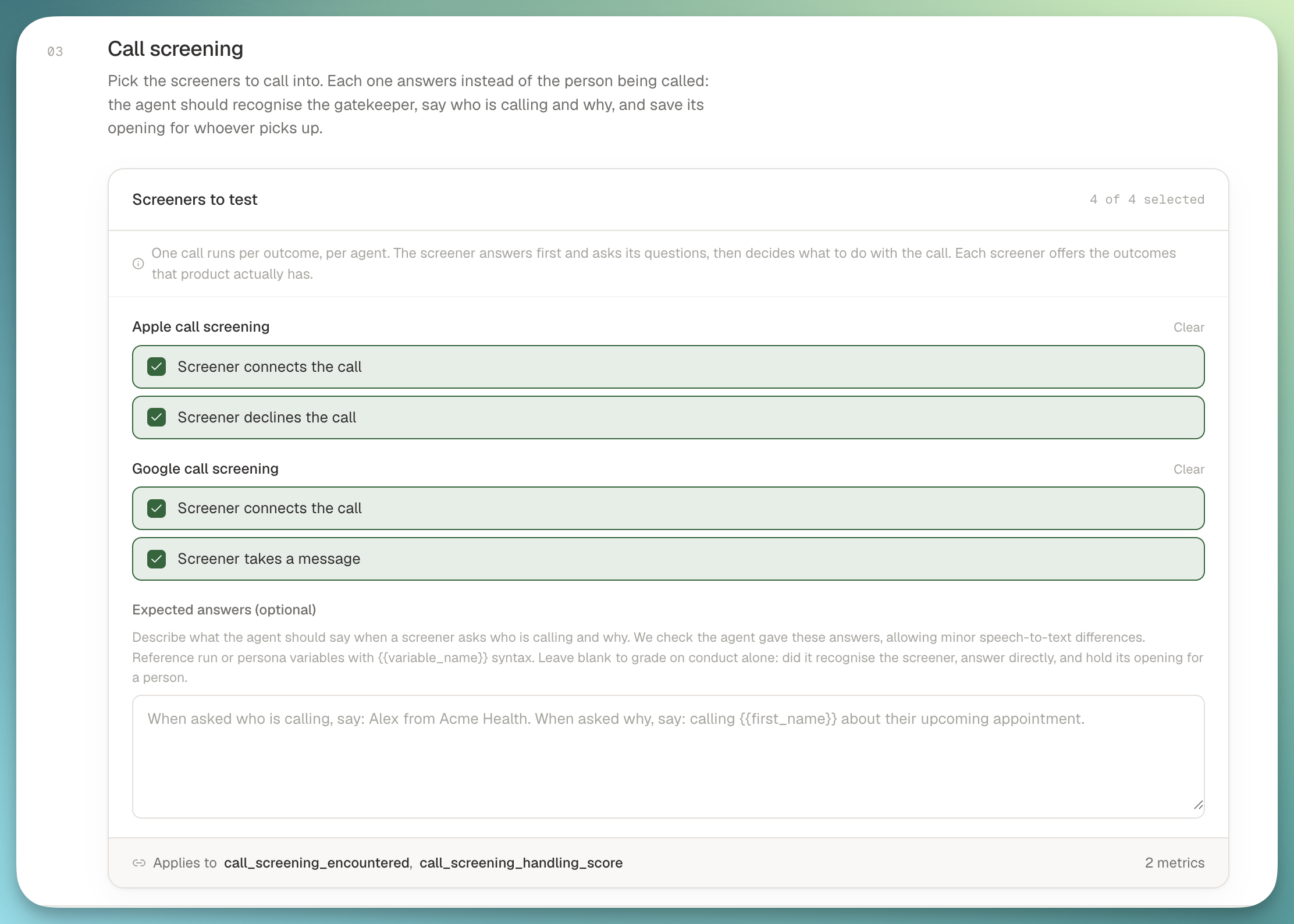
☎️ Test agents that call into a screener

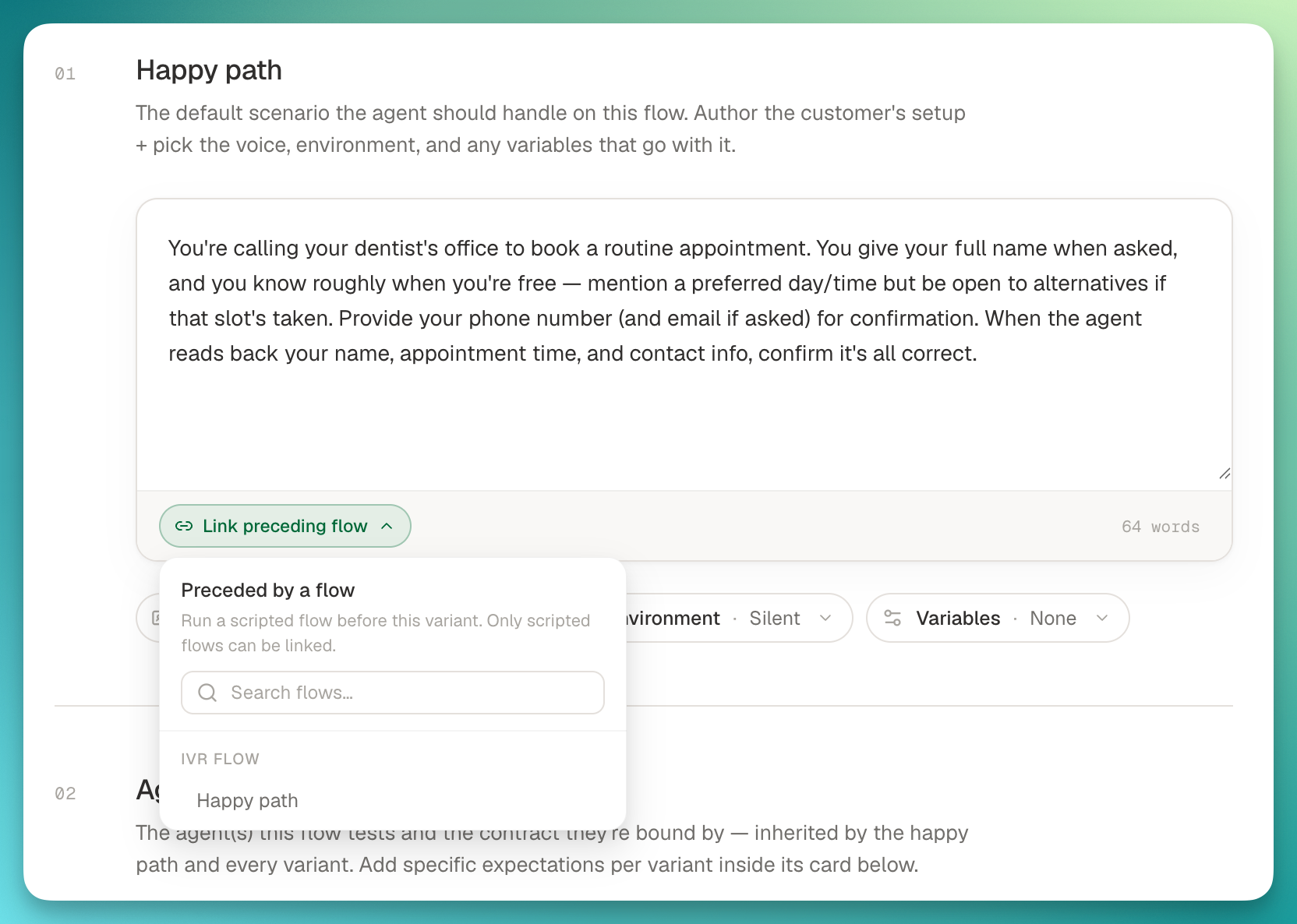
Your agent rarely gets a clean hello anymore. Apple and Google screeners answer first and decide whether to connect, decline, or take a message, and enterprise numbers gate the call with an IVR or an identity check. You can now model any of these as a scripted opening, chain them in front of your improv flows, and run the whole thing end to end.

Scripted call-screener opening linked in front of an improv flow

What's new:

  • Screeners as scripted openings: build the front door once (Apple/Google-style "who's calling and why", an IVR menu, an identity check) and link it as the opening for many improv flows. Test the connect path, the decline path, and the take-a-message path as separate branches off the same screener.
  • Ask Roark builds the pattern for you: point it at a set of calls that share the same opening and it will split out the scripted screener, link it back to the improv flows, and prompt for the variables at run setup.
  • Faithful silence handling: when the screener or IVR expects a pause before its next prompt, the simulator now waits with it instead of speaking early. Fixes the class of run where prompts appeared to play that were never in the test case.
  • Clearer step roles in the editor: scripted customer nodes are labeled as Roark's simulated caller, agent nodes as expected responses, and First message is only offered where it belongs.

🔐 Browser CLI login + Config as Code for alerts

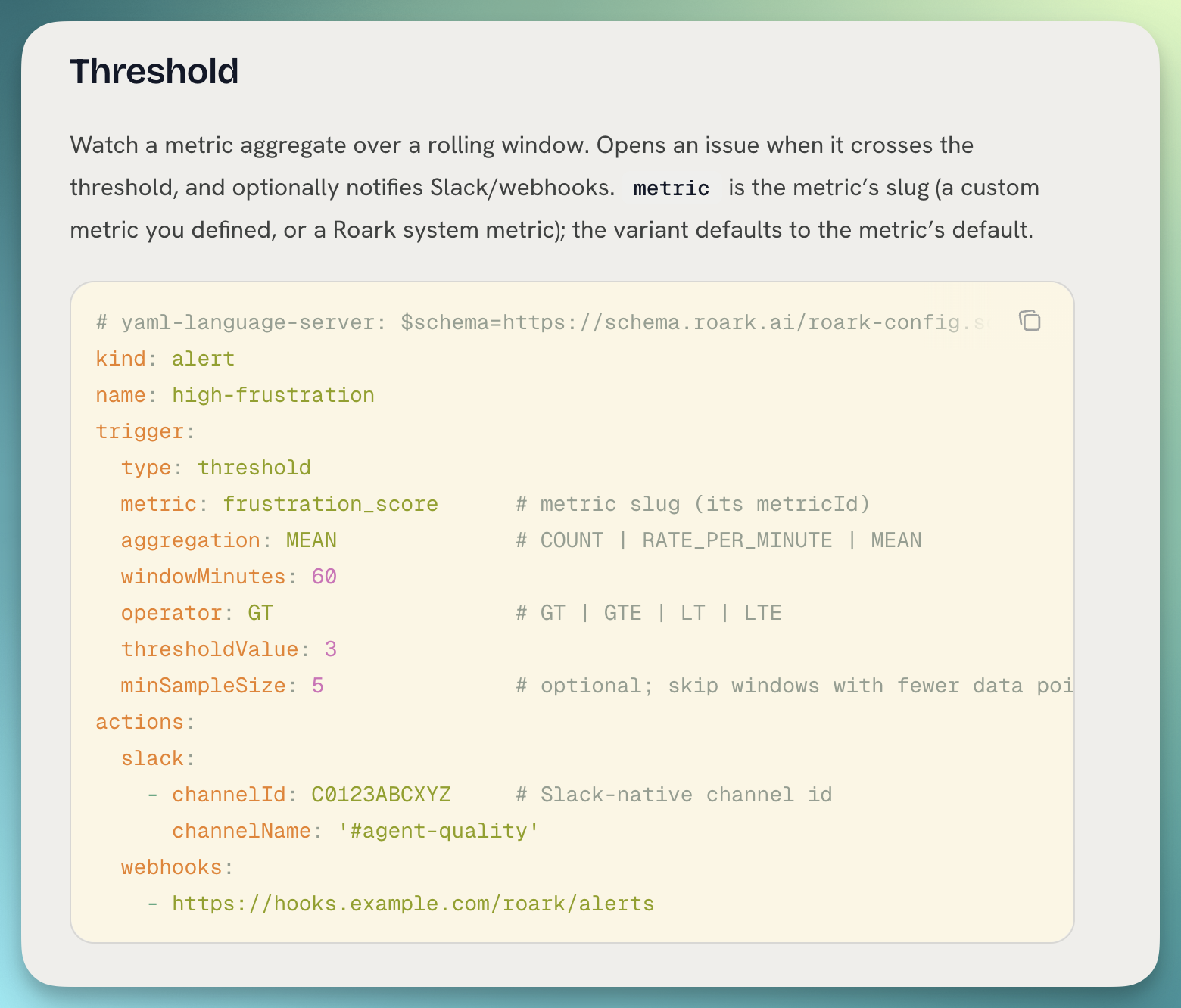
roark auth login now opens your browser instead of asking for a pasted token, and Config as Code can define alerts alongside your agents, flows, and metrics.

Alerts defined as code alongside agents, flows, and metrics

What's new:

  • Browser login (OAuth + PKCE): approve in the platform, no more copy-paste tokens. --paste still works, and piped stdin still takes a token so CI is unchanged.
  • kind: alert in config: version-control threshold, event, and simulation monitors, with Slack and webhook delivery.
  • Cleaner diffs: unchanged config-managed resources show as noop in roark diff, instead of scrolling past a wall of identical lines.
  • API-key scope: Config as code is now a first-class permission in the picker.

👉 See the Config as Code overview

📞 Reverse-IVR testing with agent DTMF

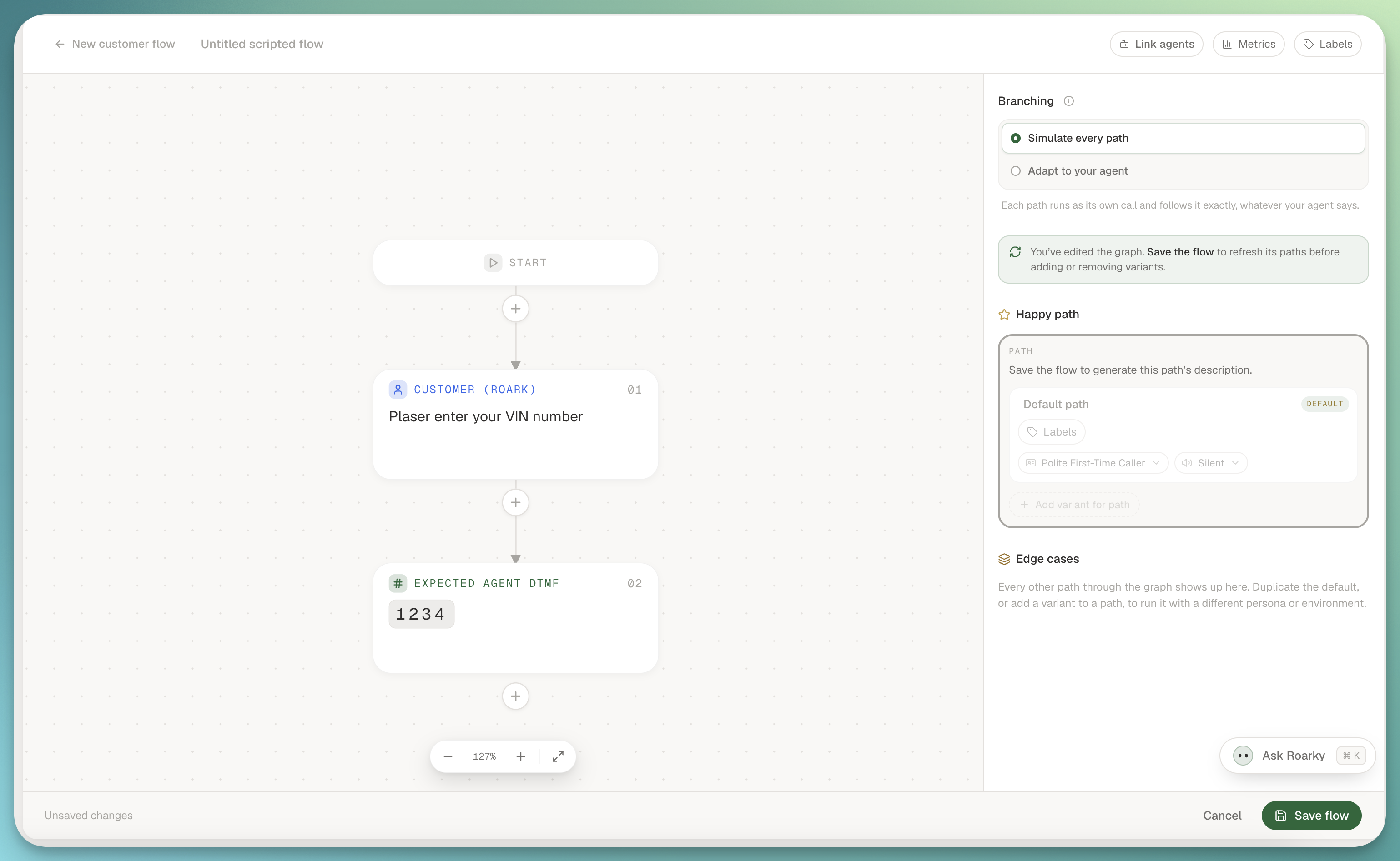
Simulate an IVR from the agent's side: script the digits you expect the agent to press, capture them live, and grade them automatically.

Agent DTMF captured on the agent's side of a simulation transcript

What you can do:

  • AGENT_DTMF flow steps: add them anywhere in a scripted flow to declare which keys the agent should press at that point.
  • Deterministic scoring: the new dtmf_input_correct metric compares position by position and fails wrong-order sequences, which is exactly the wrong-branch case reverse-IVR testing exists to catch.
  • Live view: keypresses render on the agent's side of the transcript as [DTMF: 1 2 3], distinct from anything the agent said out loud.

🔧 Customer API: pagination, variants, async tool invocations

The customer API picked up pagination, variants, and a proper async endpoint for tool invocations, plus a few quality-of-life polish items.

What's new:

  • Paginated metric definitions: stop pulling the full list on every fetch.
  • Metric variants exposed: list a metric's variants directly, and get a helpful response instead of a 403 when you pass a variant to a metric that doesn't support one.
  • Judge rubric + live-only flag returned on GET /metric-definitions, so integrations don't have to look them up separately.
  • Async tool-invocation append: attach tool calls to an existing conversation after the fact.
  • enrichWithLiveConversation accepted on run creation, and unknown keys no longer get silently dropped.
  • OpenAPI served at the standard path, where every code generator already looks.

👉 Browse the API reference

🧪 Calmer simulation authoring

A batch of authoring improvements across simulations and personas that add up to a much smoother workflow.

What's new:

  • Knowledge Base Grounding template: pre-attaches faithfulness, ungrounded-claim, and missed-answer metrics; pick which KBs to score against and go.
  • Bulk-add run calls to a dataset: promote a whole run's worth of calls in one action.
  • Auto-attach Agent Expectations: any run whose flows declare expectations picks them up without a manual step.
  • Personas get folders and drag-to-reorder: the picker leads with your recents and the workhorse personas, custom ones sort in the order you set on the hub.
  • Ask Roark is folder-aware for flows and personas, and can file things away as it creates them.
  • Inline metric config wherever a metric is attached, not only at run creation.
Nº 36August 24 to 30, 2026

6 updates this week

This week was about handing you more of the controls: your config, your CLI, and clearer answers on every simulation run. Six things landed that I want to walk you through.

⚙️ Config as Code

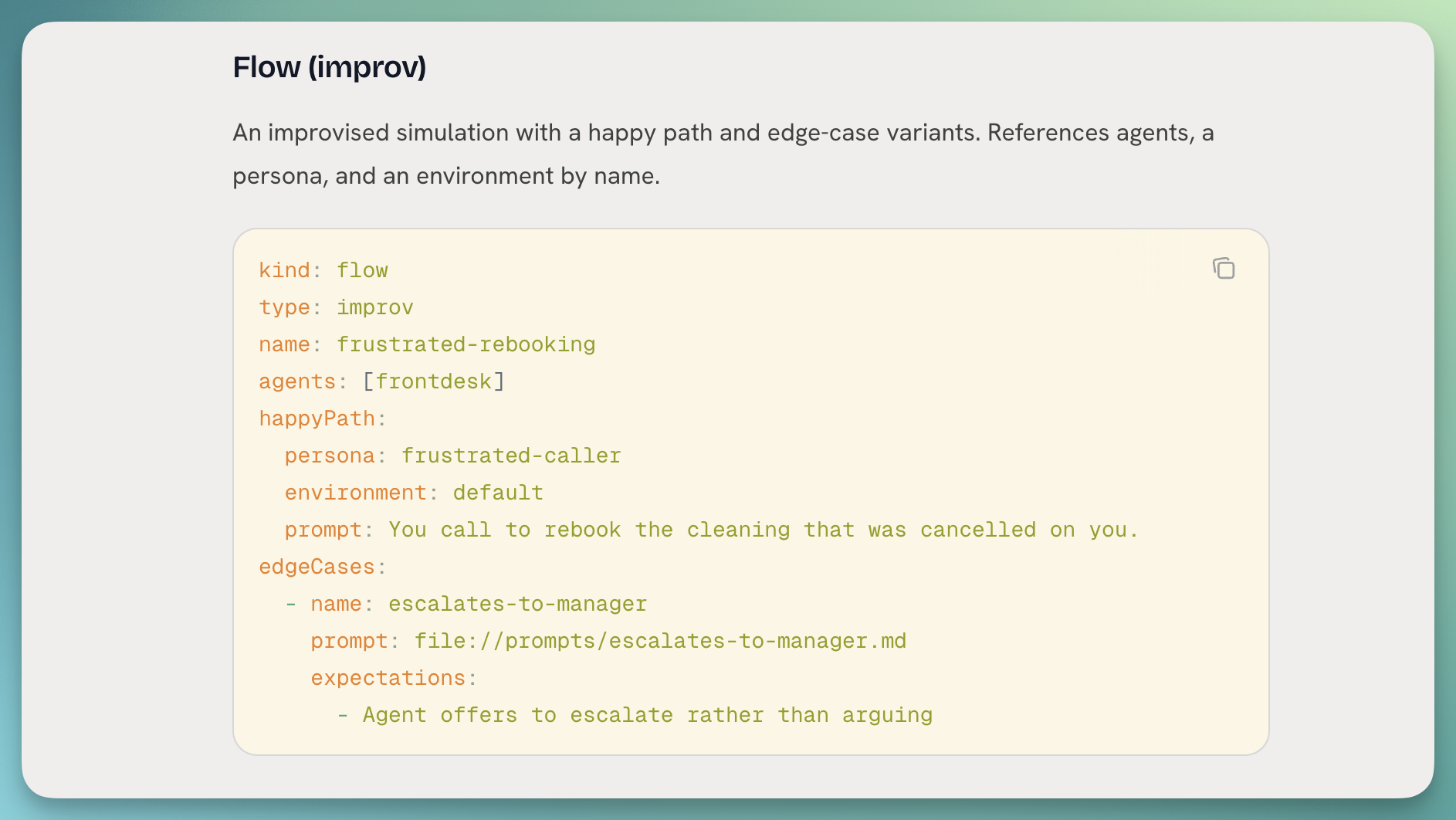
Your flows, metrics, personas, and thresholds can now live as YAML in a directory you own, versioned in git and reconciled against Roark with a single command.

Config as code diff preview in the terminal

What you can do:

  • Author locally: keep every flow, metric, persona, and threshold as YAML alongside your agent code, with file:// inlining for prompts so the long strings stay readable.
  • Preview before you push: roark config diff ./roark shows a + ~ - summary of what would change, no writes, safe to run in a PR check.
  • Apply with a confirmation: roark config apply ./roark runs the diff, prints the change set, and asks before it writes. --yes skips the prompt for CI.
  • Prune by default: anything in Roark that isn't in your bundle gets removed, so your repo is the source of truth. --no-prune opts out.
  • JSON output: pipe either command into your own tooling with --json.

👉 Read the config-as-code guide

⌨️ The Roark CLI

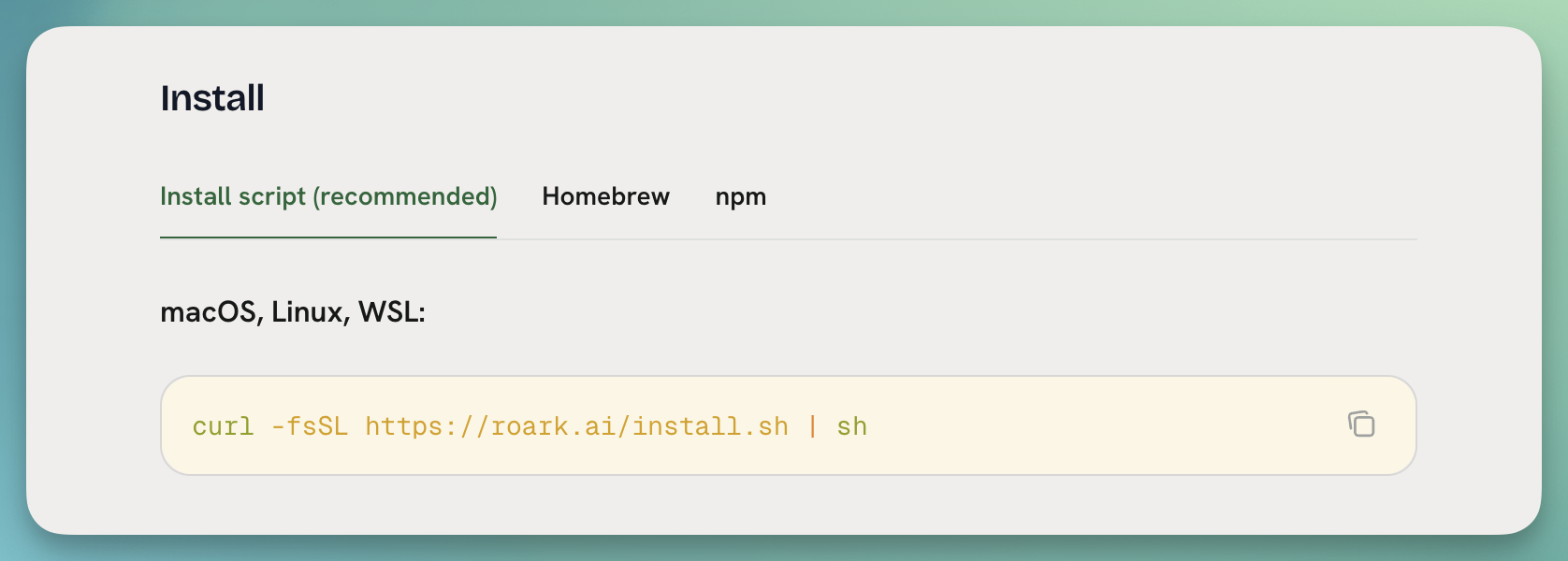
The Roark command line interface is now a first-class thing you can install in one line and drive your whole config-as-code loop from.

Installing the Roark CLI

What's new:

  • One-line install: curl -fsSL https://roark.ai/install.sh | sh, plus Homebrew and npm paths if you prefer them.
  • roark config diff and roark config apply: point them at a directory of flows, metrics, and personas to preview and push changes.
  • roark api for anything else: call any endpoint that doesn't have a generated command yet, with shell completion and a real exit code table.
  • Docs page live: install, auth, usage, and CI recipes are all documented.

👉 Read the CLI guide

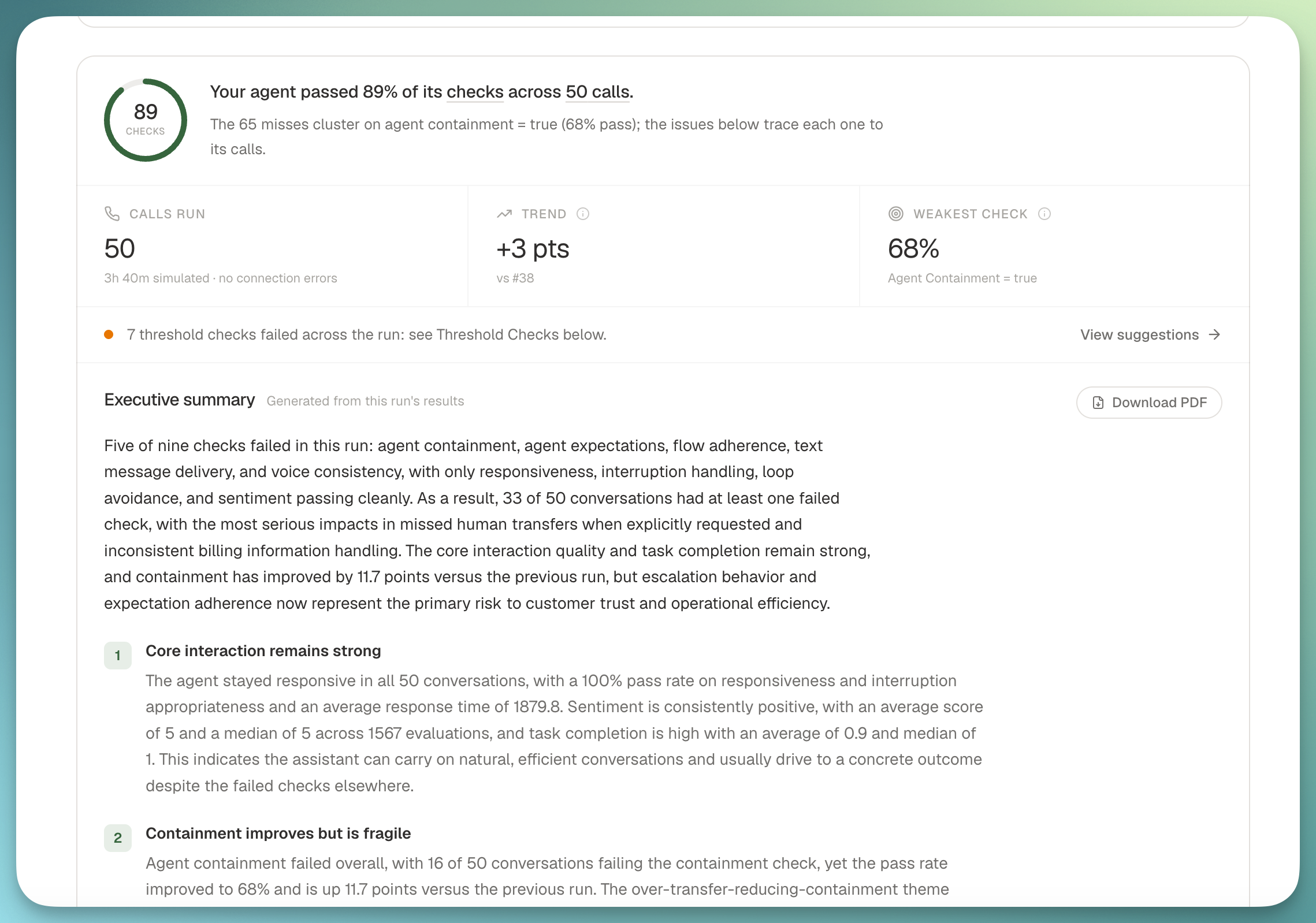
🧾 Simulation Executive Summary

Every simulation run now generates its own executive report the moment it settles, so you can hand a stakeholder one link instead of a spreadsheet.

Simulation executive summary at the top of a run report

The summary lives at the top of the run report and includes the verdict, a scorecard, what went well, clustered failure themes with verbatim transcript excerpts, prompt-optimizer recommendations, and a trend against the previous run.

What you get:

  • Auto-generated on completion: scheduled and ad-hoc runs both produce a summary without you clicking a button.
  • Cued deep-links: every finding jumps to the exact metric pane and cues the affected calls to the moment that decided the verdict.
  • PDF export and share link: ship the report to anyone, no login required.
  • Email when it's ready: the requester gets a mail the moment the summary lands.
  • Free: the summary passes are on us, not metered against your credit.

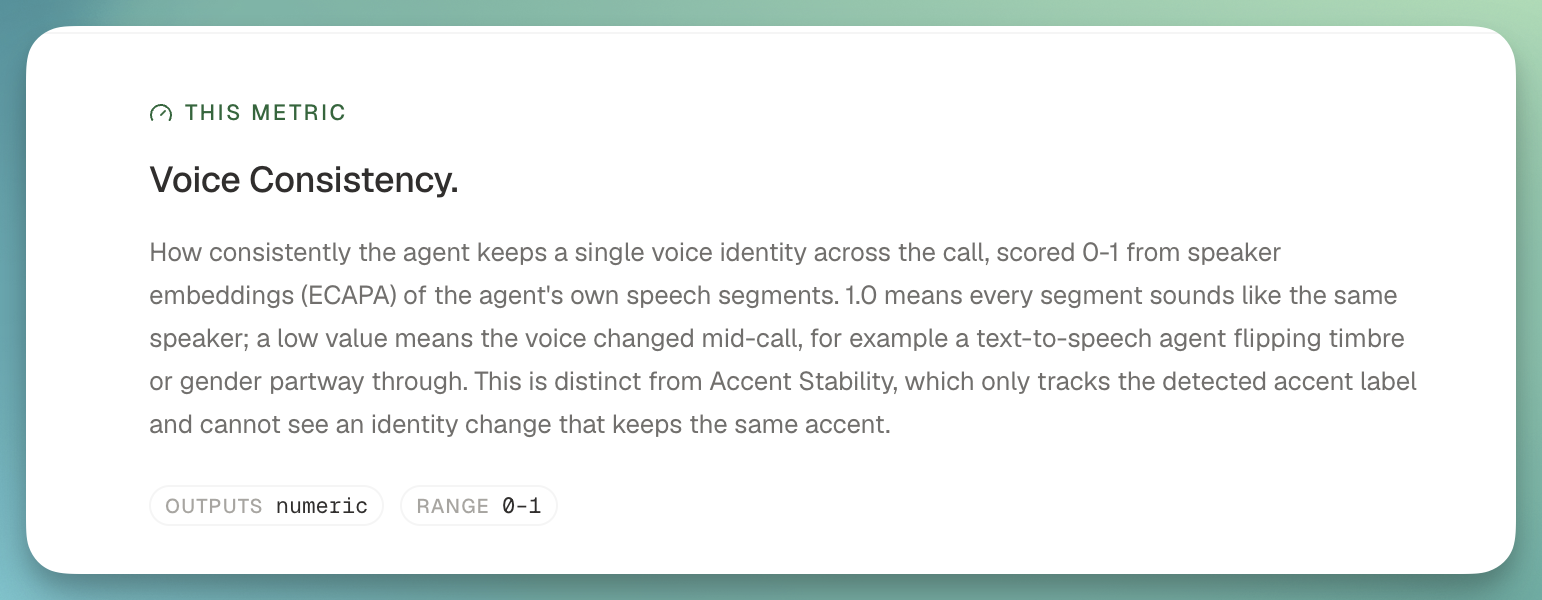
📊 New metrics: Voice Consistency, Task Completion, Agent Containment, Human Transfer

We shipped four system metrics you can turn on today, aimed at the questions we hear most often from voice teams.

New system metrics on a call report

What landed:

  • Voice Consistency: catches when a speech-to-speech agent's voice identity flips mid-call (timbre or gender), backed by a new speaker embedding model. Scored per segment so you can pinpoint exactly where it happened.
  • Task Completion: did the agent actually finish what the caller asked for, with a matching completion-rate threshold.
  • Agent Containment: what share of calls the agent handled end-to-end without a human transfer.
  • Human Transfer: a full package covering when and why transfers happen, plus a discovered-classification metric that clusters the reasons from your own transcripts rather than a fixed enum.

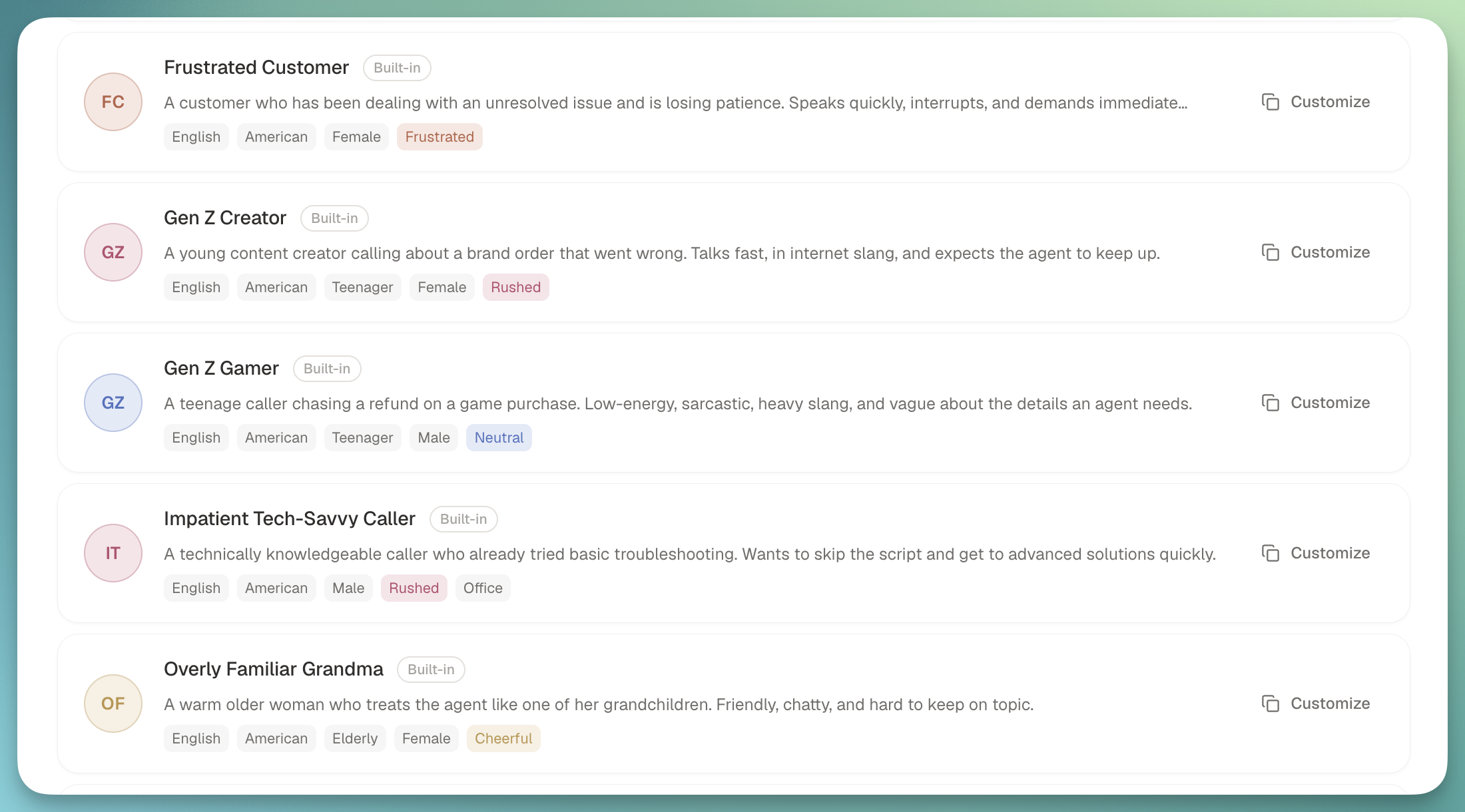
🧒 Personas that sound like your callers

Personas got a big upgrade: age is now a first-class dimension, we shipped built-ins across the range, and every persona can carry emotion into the audio itself.

Simulation personas list

What's new:

  • Age as a dimension: child, teenager, adult, and elderly, with voice casting to match.
  • Six new built-in personas: Gen Z creator and gamer, a tech-illiterate grandpa on a landline, an overly familiar grandma, and two child accidental callers that a well-behaved agent should refuse to transact with.
  • Emotion in the audio: personas now speak with ElevenLabs v3 audio tags, so frustration and warmth land in the voice rather than sitting in a metadata field.
  • Accent flags on runs: call rows and debrief chips call out when a persona's accent may have driven the outcome.
  • Custom properties everywhere: the properties you attach to a persona show up (and are editable) wherever the persona appears.

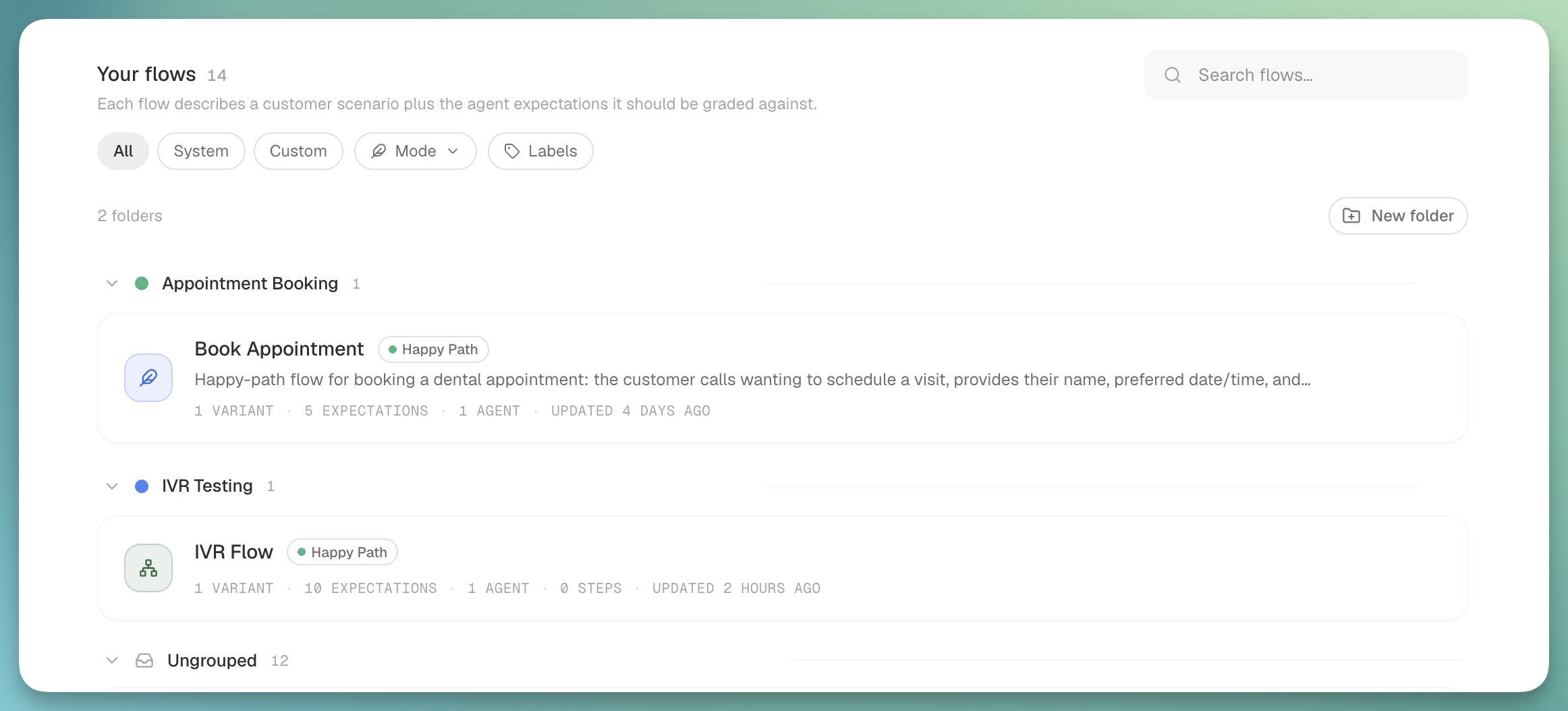
🗂️ Folders and drag to reorder

Customer flows and dashboards both got easier to organize this week.

Customer flows grouped into folders

What's new:

  • Folders for customer flows: group related flows into named, colored buckets ("Verizon failure modes", "Auth edge cases") with the grouped view on by default.
  • Drag to reorder flows: move flows within a folder, or across folders, without opening a menu.
  • Drag to reorder report cards: dashboards let you rearrange cards the same way.
Nº 35August 17 to 23, 2026

2 updates this week

This week was heads-down on two things: making alerts genuinely useful, and giving you a way to measure whether your agent actually uses the knowledge base you gave it. Both landed, and both are worth a closer look.

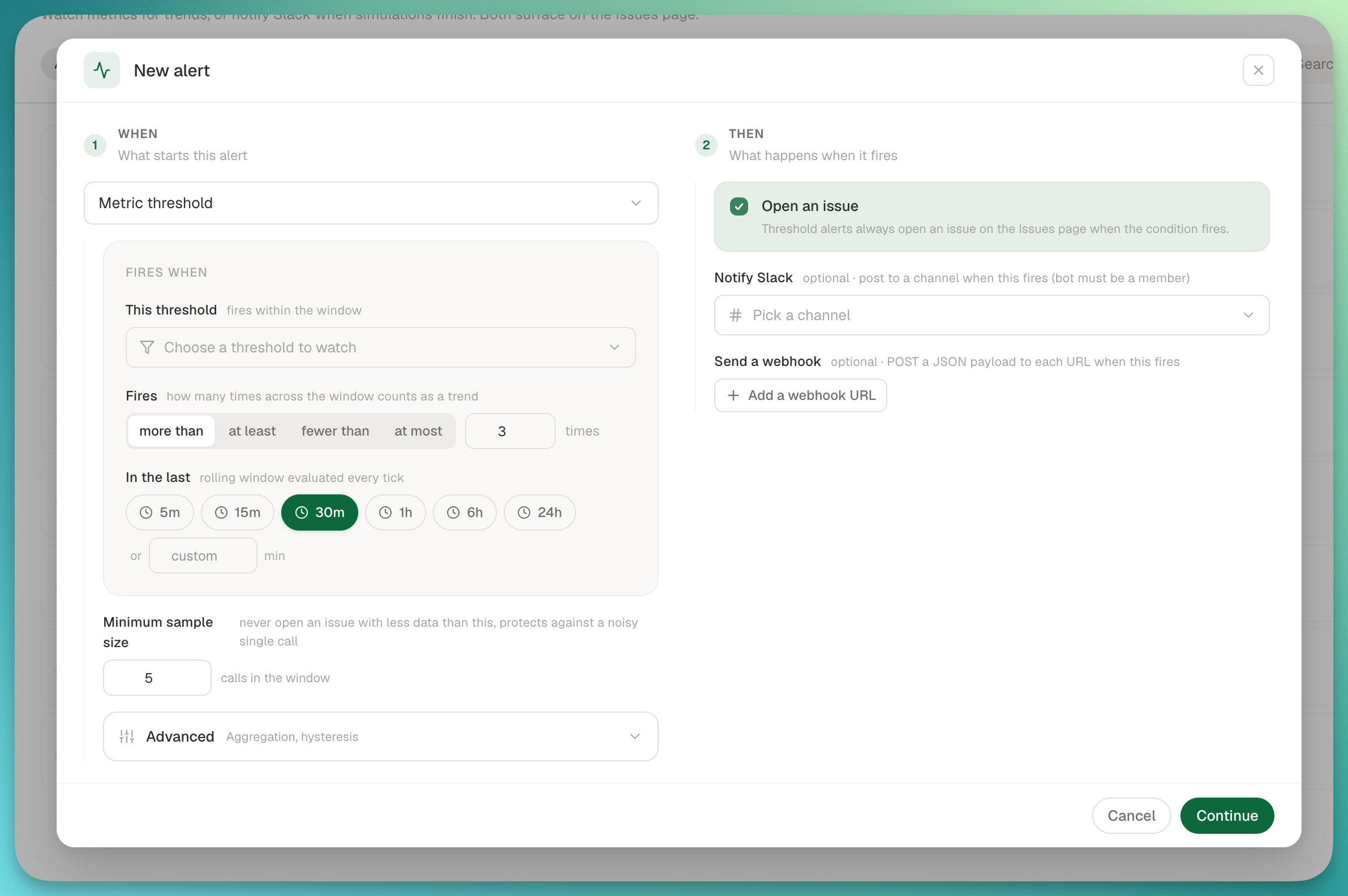
🚨 Alerts v2: WHEN / THEN, event triggers, webhook actions, full fire history

Alerts got a full rebuild around a first-principles model: WHEN [trigger] THEN [action]. Metric thresholds and platform events both flow through the same unified dialog, and every fire is now traceable end to end.

Unified WHEN / THEN alert dialog with event trigger and webhook action

What's new:

  • Event triggers: subscribe an alert to the full platform event catalog (Calls, Evaluations, Simulations, Metrics, Chats, Issues) with human labels and multi-select.
  • Webhook actions: add one or more HTTPS URLs to any threshold or event alert. Deliveries go through the same pipeline as customer webhooks, with SSRF protection.
  • Alert detail page: every alert now has its own page with config, a "Recent fires" timeline showing per-action outcomes (Slack N/M, webhook status, issue opened), and a "Recent deliveries" list with expandable payloads and responses, filterable by status.
  • Slack channel picker on trend alerts, plus batched notification-channel loading so the alerts list stays fast.

📚 Knowledge Base Grounding, as three system metrics

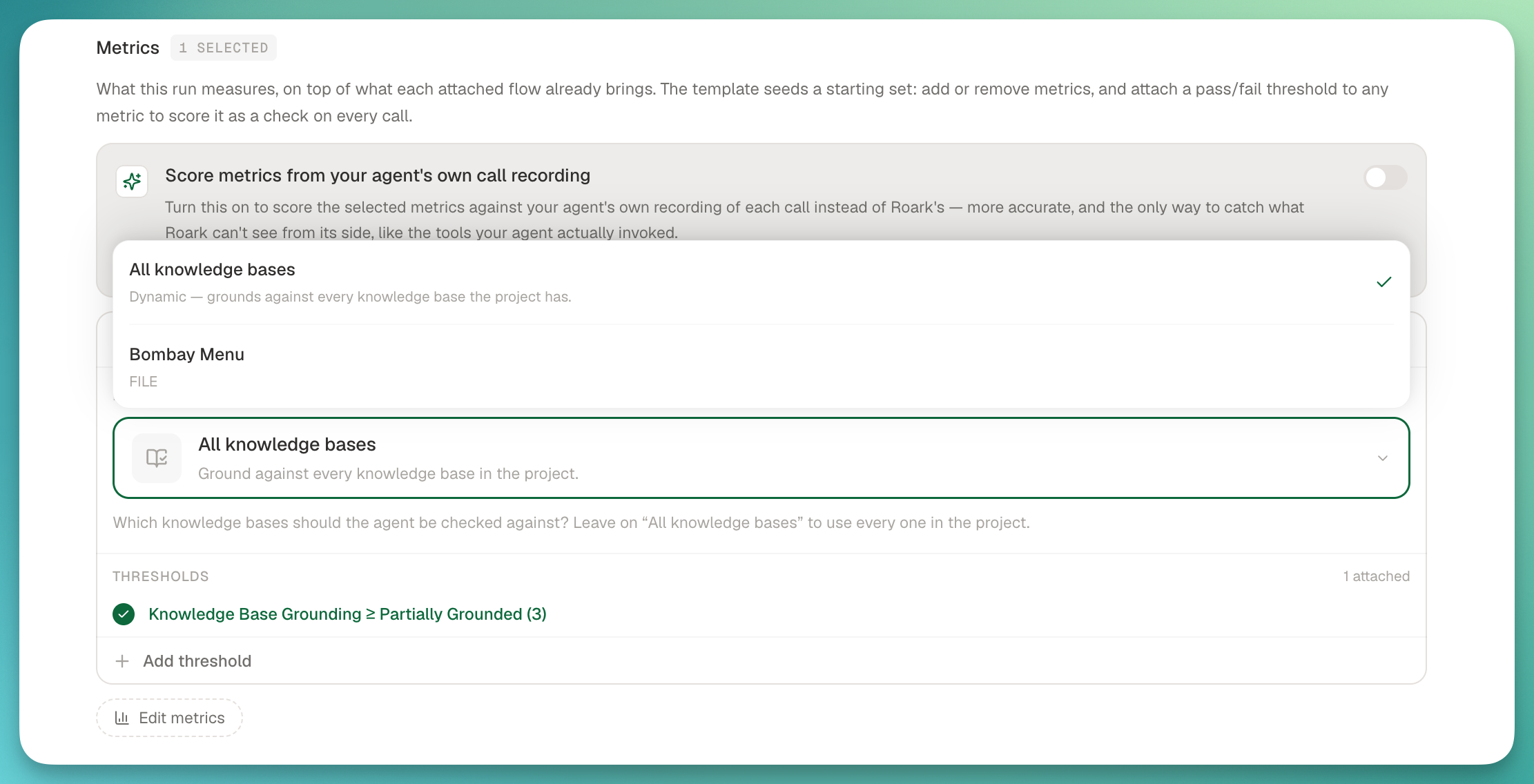
If you've attached a knowledge base to your project, you can now measure whether your agent is actually using it correctly, with no per-metric setup and no hand-built variant. Add the Knowledge Base Grounding package to any run, policy, or dashboard, and you get three metrics from one LLM pass.

Knowledge Base Grounding metrics with per-KB scoping in Studio

The three metrics:

  • Knowledge Base Grounding (1 to 5): how faithful the agent's factual claims and offers are to your KB. Ships with a >= 3 system threshold.
  • Ungrounded Claim (per turn): every agent turn that stated or offered something the KB doesn't support, classified as CONTRADICTS (the KB says otherwise) vs NOT_IN_KB (the KB is silent).
  • Missed Answer (per turn): the inverse. Flags when the caller asked something the KB could answer but the agent deflected, said "I don't know", or answered wrongly.

Scope it at run time: in Studio Evaluate mode, pick specific KB documents to ground against, or leave it on "All knowledge bases" to auto-source every READY KB in the project.

Nº 34August 3 to 16, 2026

5 updates this week

Two weeks packed into one note since we skipped last week's send. The headline is Annotations and Ground Truth: your team can now grade calls together, and those labels tune your metrics against your own examples.

✍️ Annotations: label your calls and metrics with your team

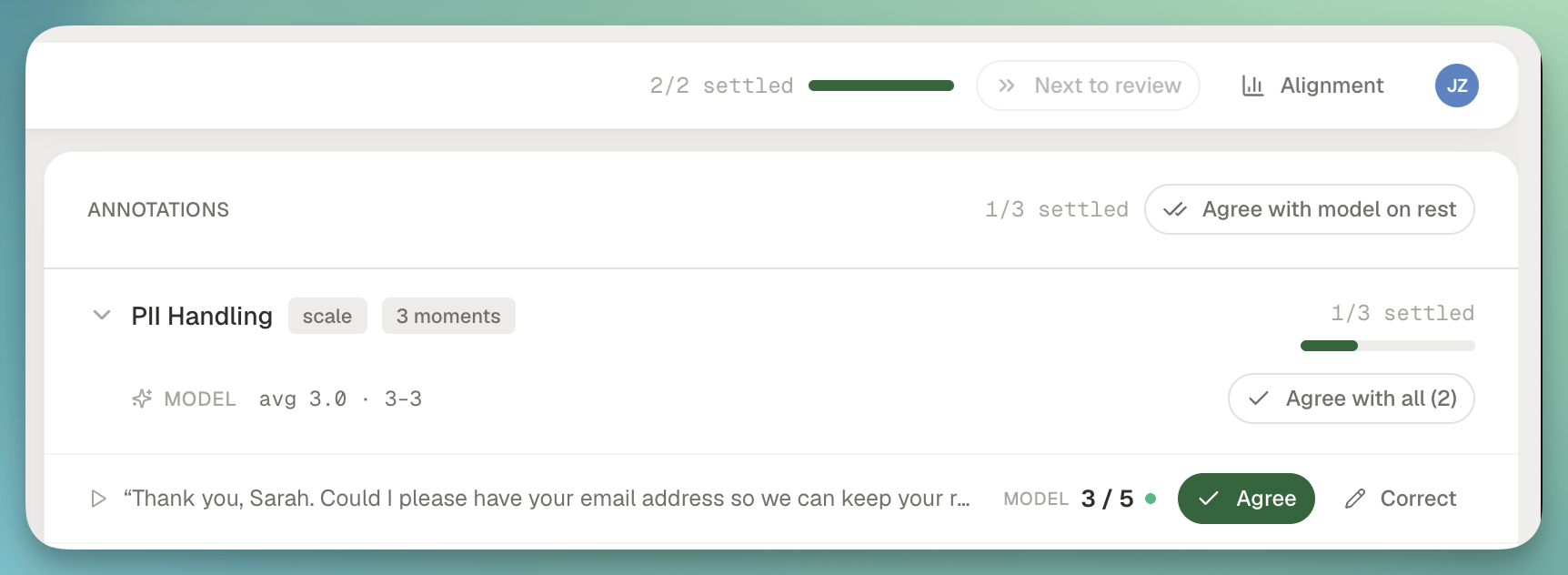
The old Review area is now Annotations, and it's grown into a real collaborative workspace for grading calls with your team. Reviewers work from the same queue, label moments straight off the transcript, and disagreements are surfaced instead of buried.

Annotations workspace showing collaborative labeling on a call transcript

What's new in Annotations:

  • Label a moment straight from the transcript. Highlight a turn, tag it against a metric, add a quote, and it lands in the annotation with a jump link back to the exact segment.
  • Per-metric rubrics for review sessions. Each metric brings its own scoring guide into the session, so reviewers see the same instructions inline instead of a shared doc nobody reads.
  • Inter-annotator agreement across reviewers on the same call, so you can see where your team disagrees before you argue about model accuracy.
  • Reviews hub on Library with live auto-score job progress, jumpable review queues, and a lede telling you what needs attention next.
  • Alignment detail on follow-ups so a second reviewer coming into a call sees the previous verdicts, the quotes behind them, and where they agreed or split.

🎯 Ground Truth: tune your metrics from your own examples

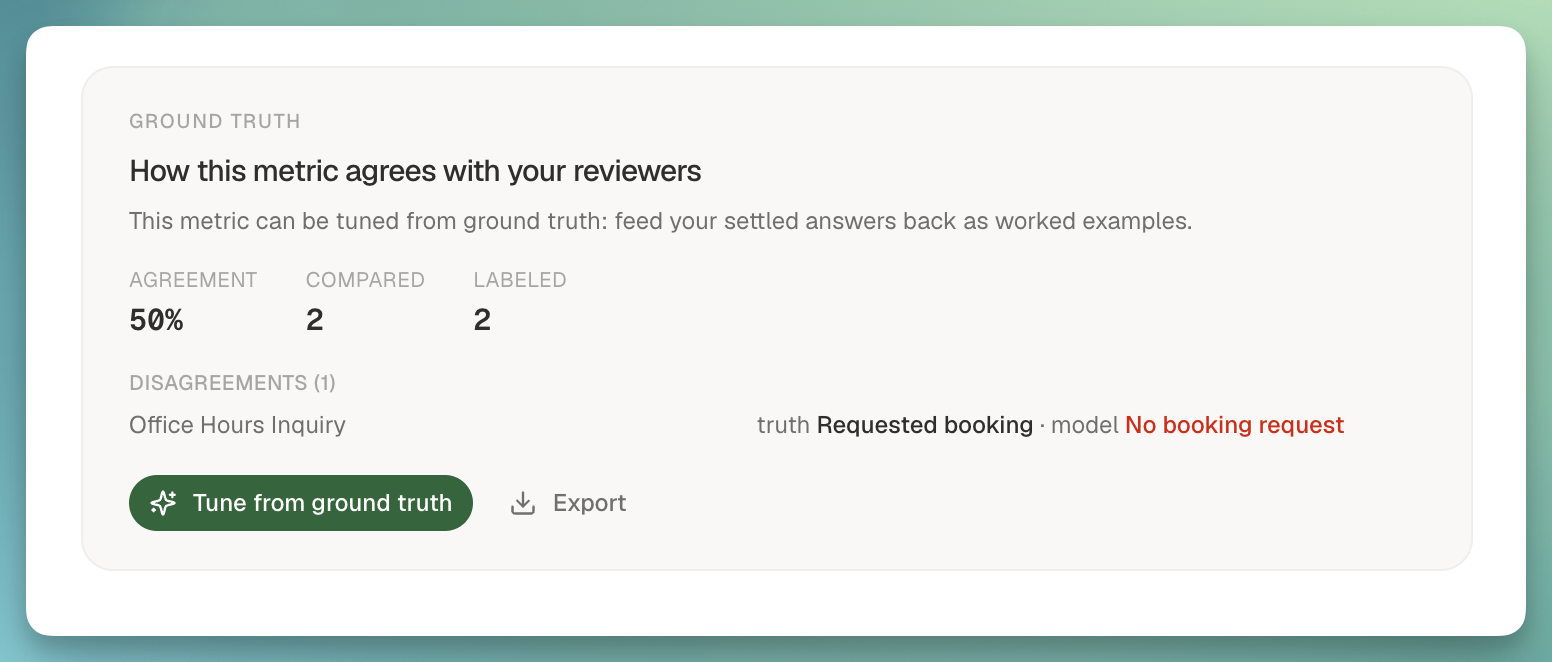
Labels aren't just for reporting anymore. When you correct a metric in Studio, that correction becomes ground truth, and your owned LLM metrics fine-tune themselves against it so the next call scores the way you would.

Ground truth panel in Studio showing labeled examples for a metric

How it works:

  • Correct a metric inline. On the call details page and in Studio's EVALUATE view, click a metric result to change the value or verdict. That correction is saved as ground truth against that call.
  • Ground-truth panel in Studio shows every example you've labeled for a metric in one place, so you can see the shape of what you've taught it.
  • Auto-tune once you have five examples. Owned LLM metrics with five or more ground-truth labels re-score using your examples as few-shots. If agreement with your labels improves, the tuned version sticks. If it regresses, we revert and tell you why.
  • Discovery, labeling, and tuning on one surface. The Label calls action opens the picker on the metric card itself, so picking calls, scoring them, and watching alignment move all happen without leaving the metric you're working on.
  • Owned LLM metrics only. System metrics and non-LLM metrics don't offer the tune action, so there's no ambiguity about what's actually adjustable.

📊 Three new metrics packages

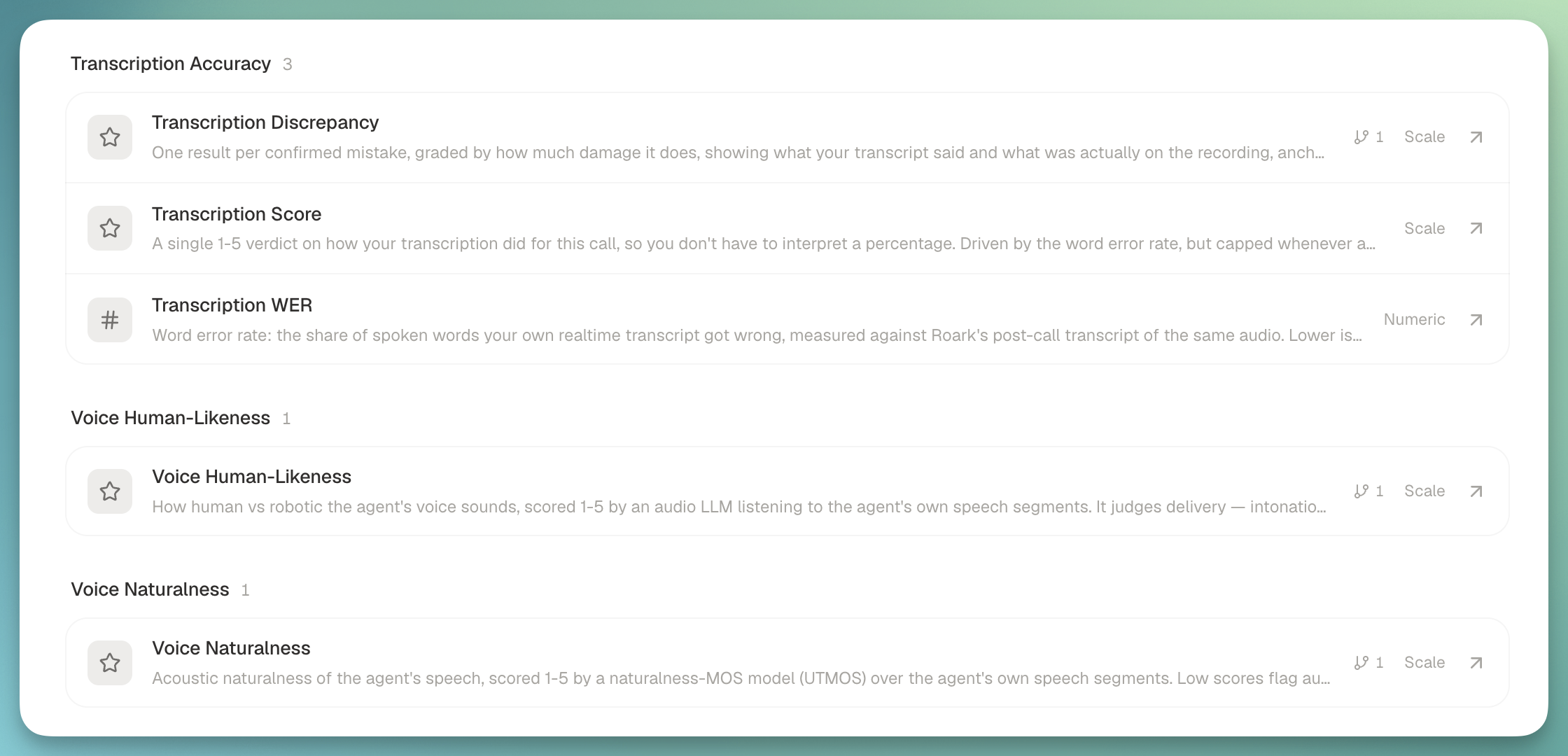
We shipped three system metric packages that grade parts of a call you couldn't easily grade before, plus a 1-5 Transcription Score that rolls the accuracy family up into a single verdict.

New metrics packages surfaced on a call

What each package does:

  • Property verification: compares the call properties you send us (account IDs, names, dates, CRM context) against what was actually said on the call, then flags mismatches anchored to the turn where they diverged. Nicknames, partial references, and phonetic near-misses are normalized before comparison, so it doesn't fire on "Robert vs Bob".
  • Call screening: detects when a receptionist or automated screen picks up an outbound call instead of the person being called, then scores the agent's handling of that interrogation on a 1-5 scale. Ships with an optional brief for what the agent should say when asked who's calling and why.
  • Transcription accuracy: grades your customer-supplied realtime transcript against ours, adjudicates every disagreement with an LLM (so we don't flag a case where our post-call transcript was the wrong one), and reports the specific words the transcriber got wrong, split into critical (numbers, names, negations, dates) and non-critical errors.
  • Transcription Score: a 1-5 rollup over the accuracy metrics with critical errors as a ceiling, not a weighted term. A call with 0.98 accuracy that got a callback number wrong still can't read as Excellent.

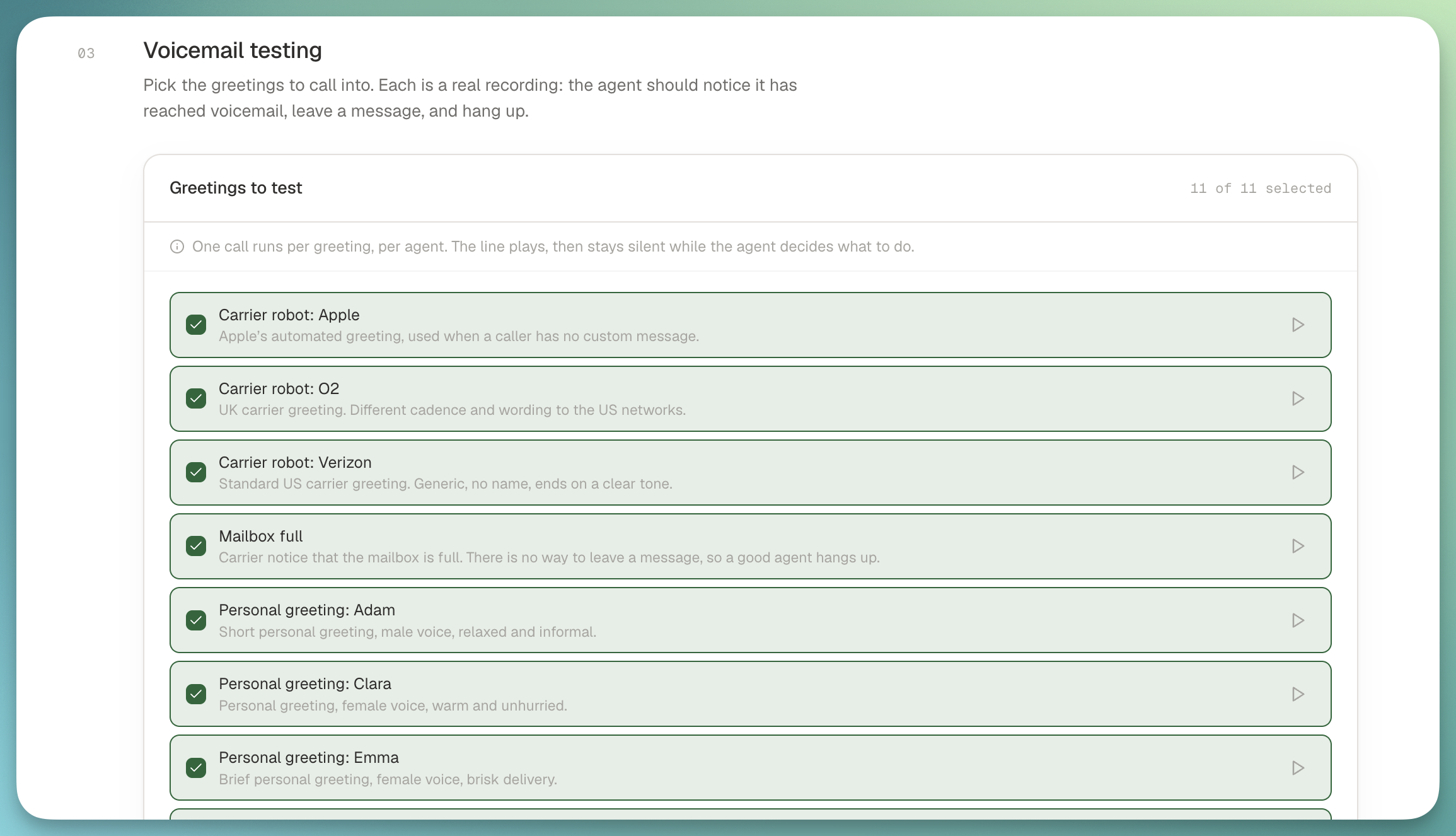
📞 Voicemail testing as a run template

Voicemail simulations no longer live as nodes inside a scripted flow. They're a first-class run template now: pick the Voicemail testing template, tick which greetings you want to test, run.

Voicemail testing template

Why we moved it:

  • Eleven greetings out of the box covering the major US carriers and generic voicemail patterns. Multi-select as many as you want per run.
  • The old flow-node path silently ran the default carrier greeting regardless of what you configured, on every voicemail step. That's fixed under the new template.
  • Existing flows keep working if you have voicemail nodes in production, but new voicemail runs should come through the template.
  • Variable interpolation in the expected-message script so a single template can grade dozens of variants.

👉 Read the guide

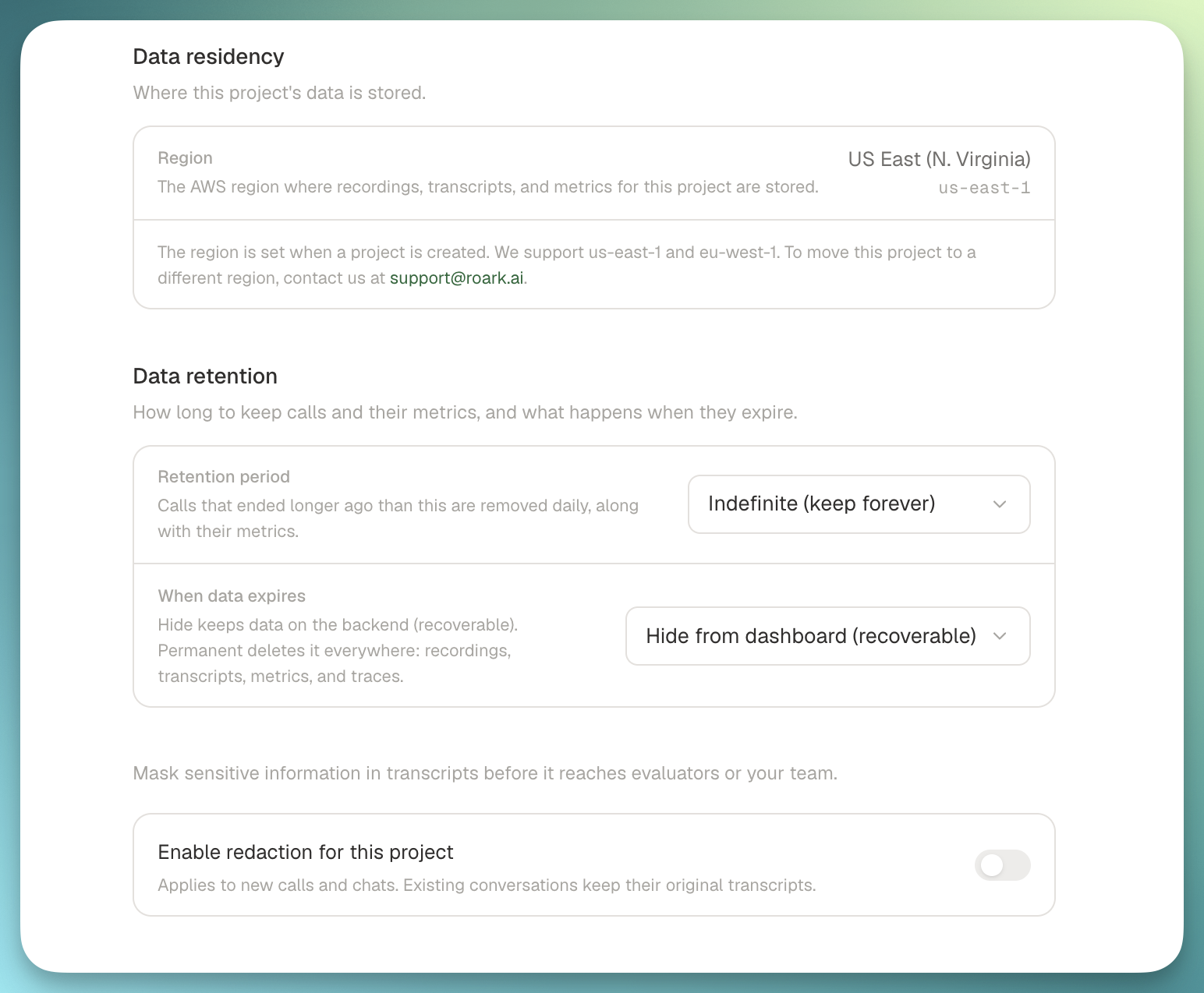
🗄️ Data controls: retention windows and agent deletion

Two things customers asked for by name: configurable retention on your call data, and a real delete for agents.

Data controls settings for retention and agent deletion

What's new:

  • Retention windows per project (60 days, 3 months, 6 months, 1 year, or indefinite) in a new Data controls settings tab. Default is indefinite, so nothing changes on your projects until you opt in.
  • Soft or hard delete mode. Soft hides the calls, metrics, and traces from the dashboard and is recoverable. Hard permanently purges the underlying records after a 7-day grace period.
  • Delete an agent from the platform UI or via DELETE /v1/agent/:agentId. Soft-deleted agents stop accepting new calls immediately across LiveKit and Pipecat, so a deleted agent can't quietly resurrect on the next inbound.
Nº 33July 27 to August 2, 2026

5 updates this week

This week leaned voice: two new metrics for how your agent actually sounds, plus environmental noise now working everywhere we place calls. A few Studio quality-of-life wins landed alongside them.

🎙️ Voice Human-Likeness

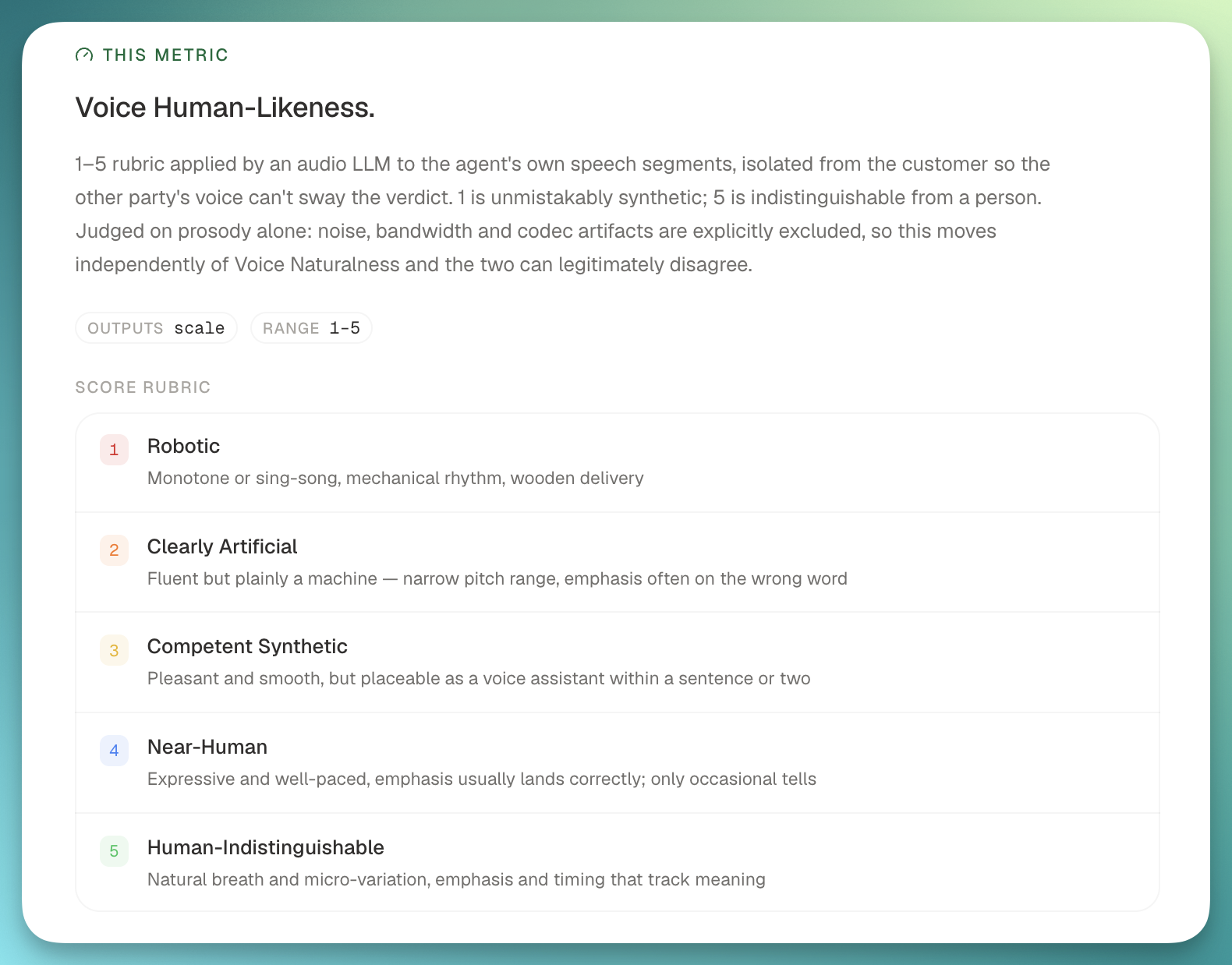
You can now score how human vs robotic your agent actually sounds. Voice Human-Likeness is a new 1-5 metric that listens to the agent's own audio (not the transcript) and judges acoustic delivery against a fixed rubric.

Voice Human-Likeness metric grading agent audio on a 1-5 scale

What it gives you:

  • Per-agent scores sampled evenly across the call, so scripted monologues never dominate the read.
  • Catches smooth robots: TTS voices that pass classic MOS checks but still sound robotic to a real listener.
  • Pairs with Voice Naturalness, also new this week. Naturalness (UTMOS-based) grades audio signal quality; Human-Likeness grades whether the delivery reads as human. Together they separate "sounds bad" from "sounds fake."

🙂 Customer Reception metric

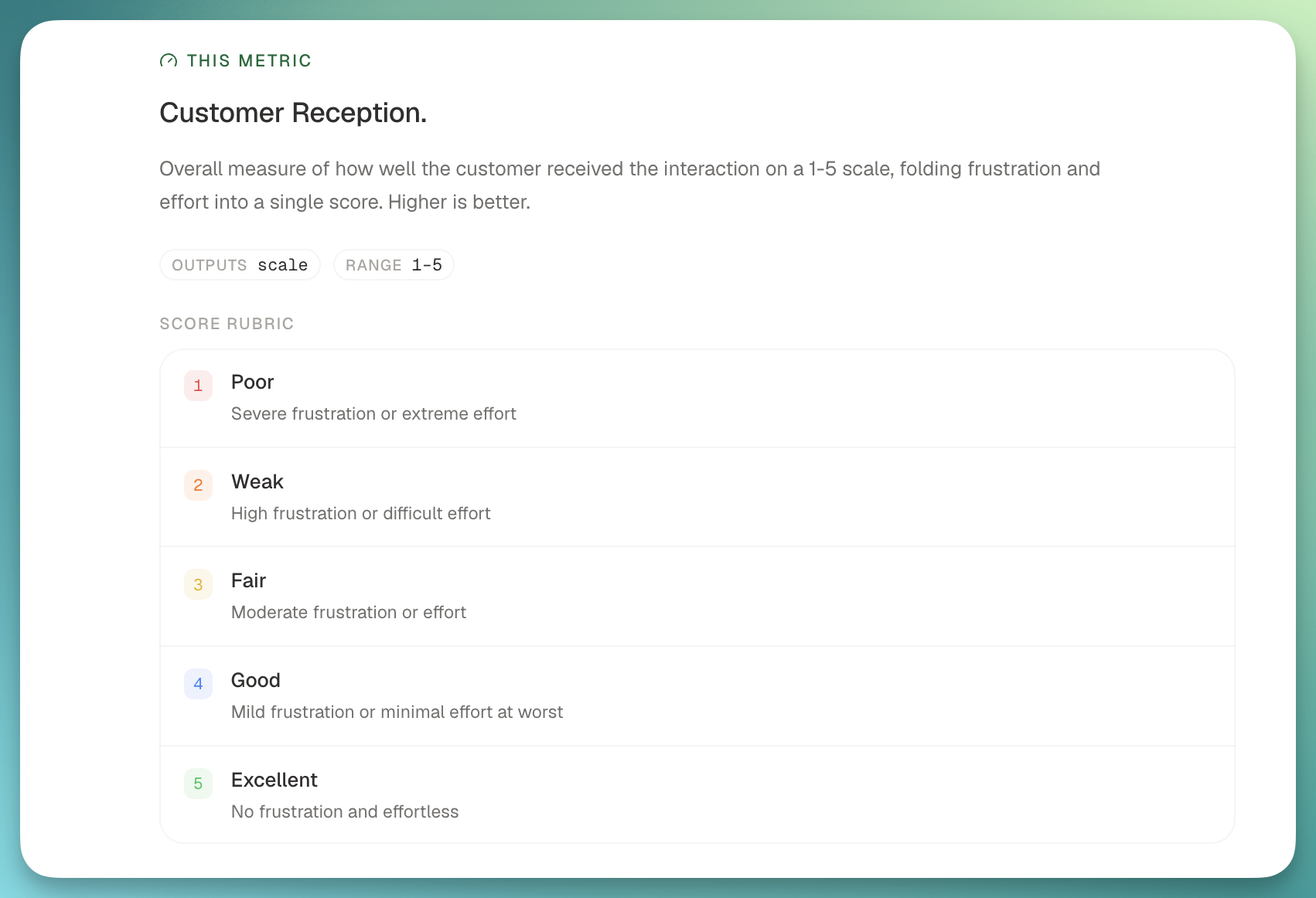
Frustration and user-effort scores are now folded into a single Customer Reception number. Higher is better, banded 1-5, and it lands on every quality-analysis run without adding another LLM call. It shows up in your metric library automatically, no configuration needed.

Customer Reception metric shown in the Roark metric library

🎯 Threshold management on the metric page

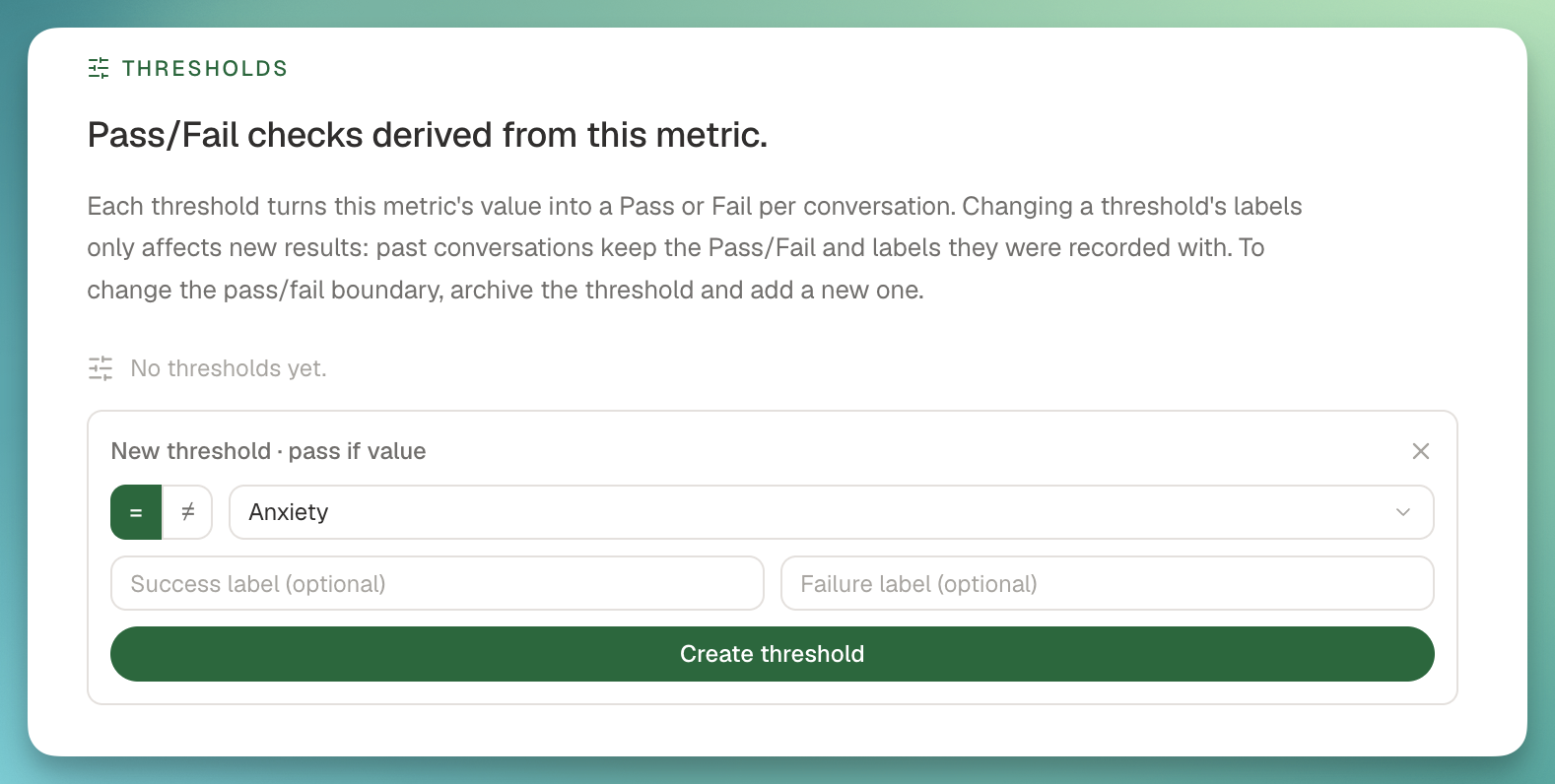
Studio's metric page now has a Thresholds section, so you can list, add, rename, archive, and unarchive pass/fail thresholds in one place.

Thresholds section on the Studio metric page

Also new:

  • Widget deep-links. "Metric details" on a dashboard threshold widget now jumps straight to the source metric and highlights the specific threshold you clicked from.
  • Safe renames. Editing a threshold's name or Pass/Fail labels is never retroactive. Past conversations keep the labels they were graded against.

✅ Studio Evaluate as a scannable checklist

Studio Evaluate used to expand every picked metric's threshold editor inline, which made a suite of ten metrics feel like fifty. It now renders as a dense checklist where each metric shows a single chip: either the attached threshold or "Set threshold" to add one.

Two side-effects worth calling out:

  • Threshold columns appear in the results matrix immediately, no more reload to see them.
  • Progress reflects what actually ran, so the bar no longer skews when thresholds are attached.

🔊 Background noise on every call transport

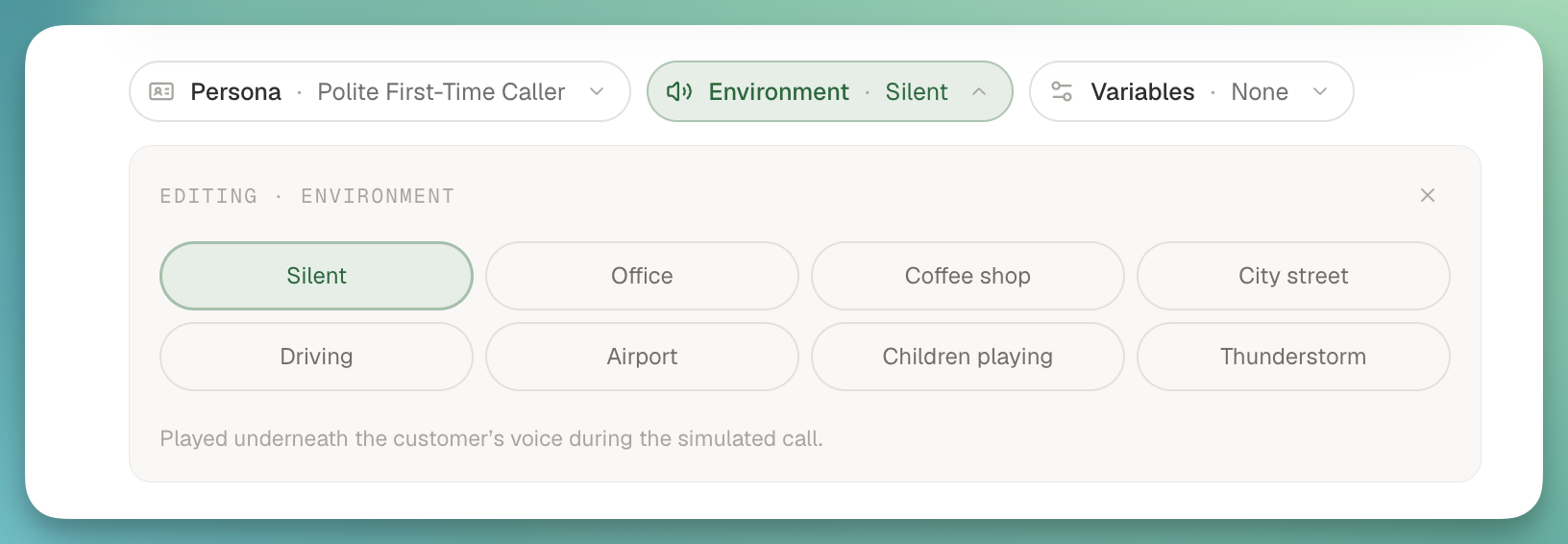
Environment and Persona background-noise settings now play on calls placed over LiveKit, Telnyx, Daily, and Small WebRTC. If you've configured ambient office chatter or a call-center hum for a persona, it now lands on every transport we support. Loudness is also normalized to a fixed reference level, so a volume: 0.1 setting gives a predictable perceptual result regardless of the source asset.

Background noise configured on a persona environment
Nº 32July 20 to 26, 2026

4 updates this week

This week I wanted to make the signals in Roark easier to act on. Four things landed: a much richer call audio player, issues that tell you where to fix them, a new naturalness metric, and simulations that mirror how your real flows chain together.

🎧 Notable moments on the call audio player

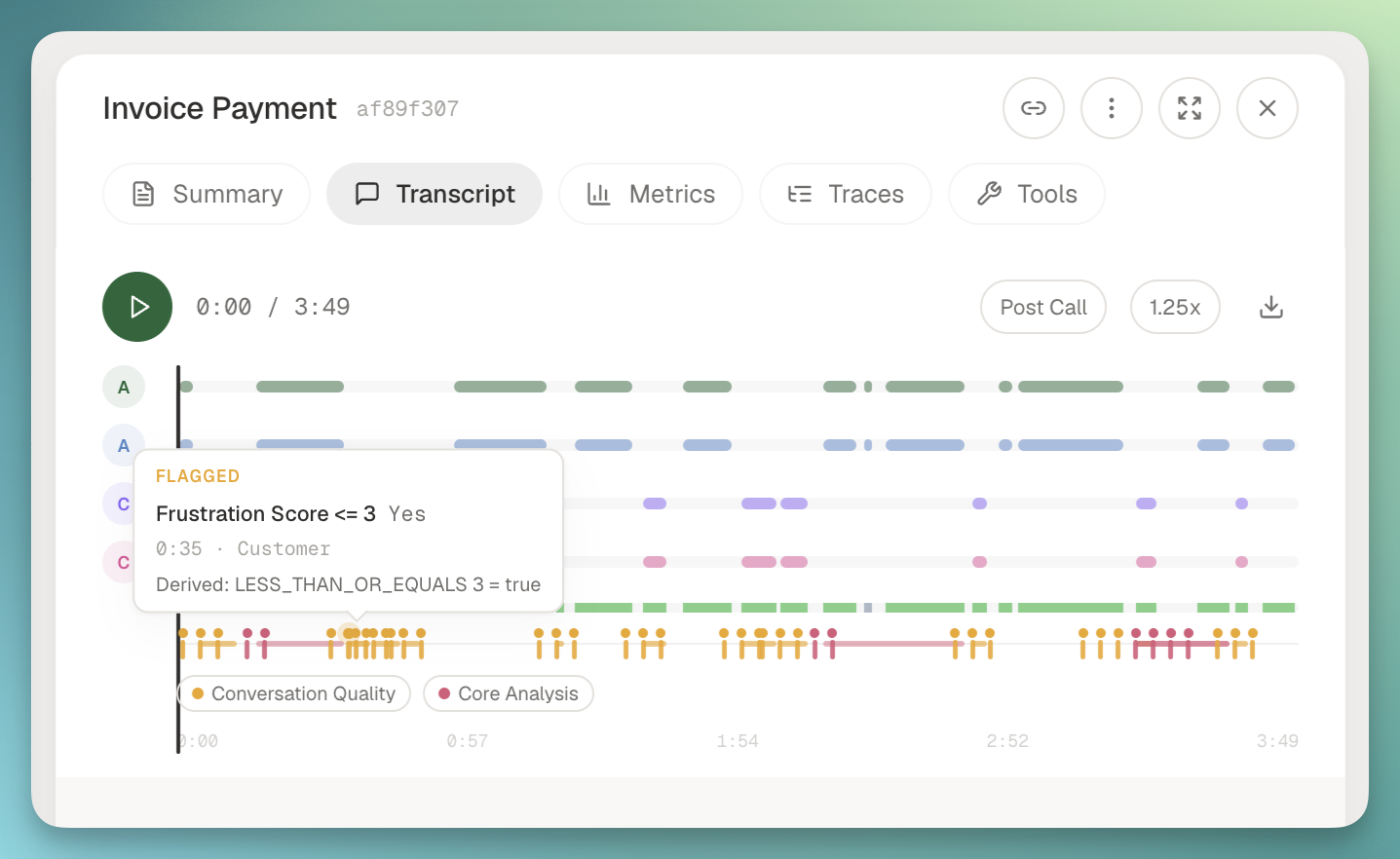
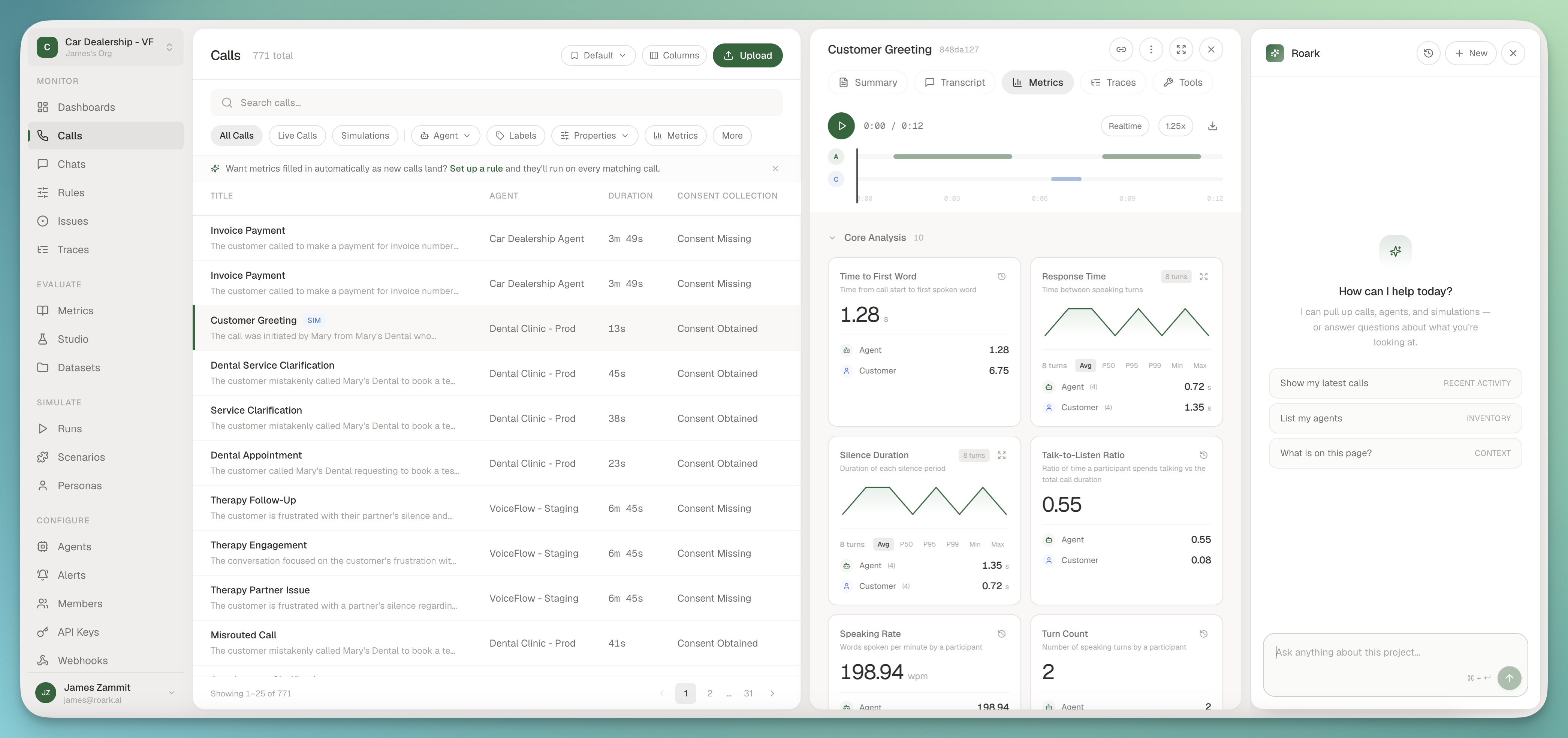
The call audio player now surfaces where the interesting things happened, not just the transcript. A sentiment ribbon runs under the diarization tracks, and a moments lane above it marks interruptions, agent cutoffs, and any boolean or offset metric that fired during the call.

Call audio player with sentiment ribbon and notable moment markers

How it works:

  • Hover a marker to see the metric name, value, reasoning, timestamp, and participant.
  • Click a marker to seek the audio to that instant and highlight the matching transcript line.
  • Toggle legend chips to filter the marker categories you care about.
  • Any new segment or turn metric shows up automatically based on its output type. Sentiment paints the ribbon, booleans and offsets drop markers, whole-call scalars stay in the metrics tab.

🩺 Issues now tell you where to fix them

Every issue in Roark now carries a remediation channel so you don't waste an LLM call generating prompt suggestions for a latency regression. A latency issue points at INFRA or LLM_MODEL, interruption issues point at VOICE_CONFIG, mishearing points at STT, and so on. The suggested-fix panel only auto-runs prompt analysis when PROMPT is actually in the mix; otherwise you get diagnosis-flavored guidance and a link to the right place to fix it.

Issue detail showing remediation channel chips and targeted suggested fix

Opened notifications also went source-agnostic. Trend alerts used to be the only source that pushed a webhook when an issue opened. Now AGENT, MANUAL, API, TRACE_FAILURE, and SINGLE_CALL_ALERT issues all fire the same issue.opened webhook. Existing subscriptions pick this up with no changes on your side.

Also new:

  • Sidebar badge with a live count of open and acked issues, hidden at zero.
  • Dashboard header chip showing the newest open issue title, or a quiet all-clear.
  • "Fix via" chip set on every issue row so you can triage at a glance.

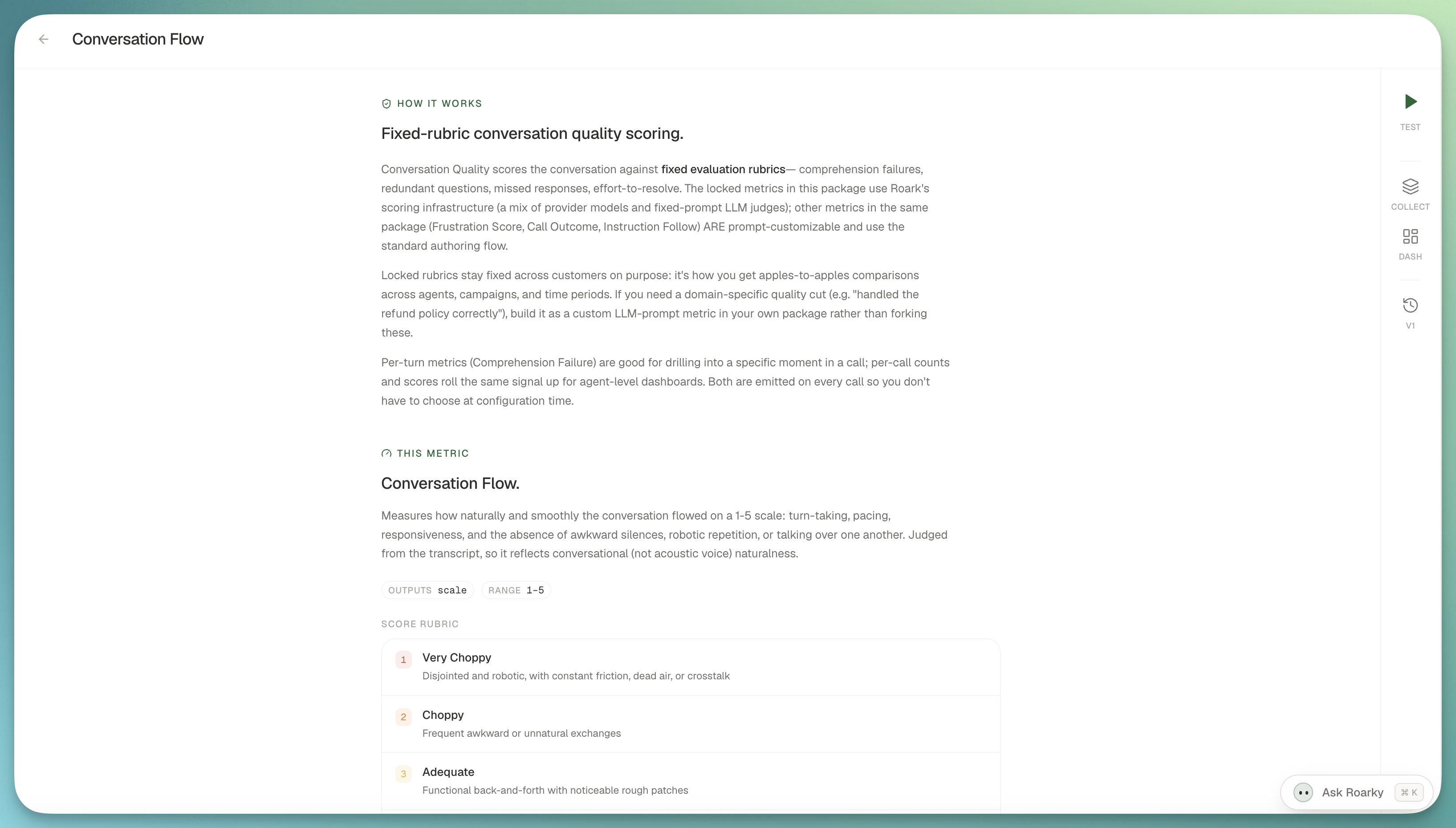
🗣️ Conversation Flow, a new system metric

A new 1 to 5 LLM-judged metric in the Conversation Quality package that grades how naturally a call flowed: turn-taking, pacing, responsiveness, and the absence of awkward silences, robotic repetition, or talking over one another. Bands run from Very Choppy to Seamless, with a built-in threshold that fails the two Choppy bands so you can plug it into monitors immediately.

Conversation Flow metric card with 1 to 5 banding

It is transcript-based (it measures conversational naturalness, not audio fidelity) and opt-in per policy, dashboard, or run plan. Add it to a call and you get a holistic "did this flow well?" score in one number, on top of the raw response-time and interruption signals you already have.

🧪 Simulations: tighter loops, richer flows

A few upgrades that make simulation runs faster to iterate on and more faithful to how your production flows are actually wired.

Create-run dialog prompting for a preceding scripted flow's variables before the improv runs

What's new:

  • Preceded-by chained flows. An improv flow can now run a linked scripted flow first at runtime, and the create-run dialog prompts for the preceding flow's variables so the whole chain resolves without hardcoded values.
  • Sub-hourly schedules. Run a plan every 15, 30, or 45 minutes (or any custom minute value down to 15). The old floor was hourly.
Nº 31July 13 to 19, 2026

5 updates this week

This week was about closing the loop between what your agent does in production and what you do about it: uptime you can trust, failure modes clustered automatically, and prompt edits proven out by simulation. Five things landed that I think you'll actually use.

🩺 Health Checks & Uptime

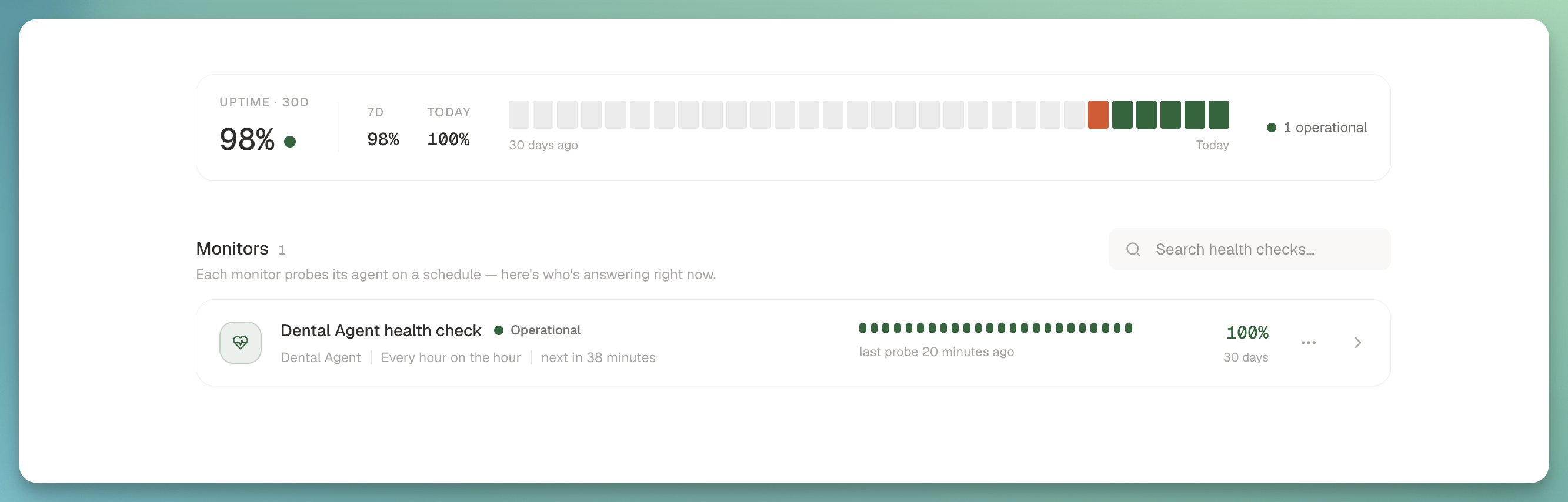
Roark now answers the simplest question about your voice agent: is it answering right now? A new Health checks page in the Monitor section runs a fixed liveness probe on whatever cadence you pick and renders every monitor as a status-page card.

Health checks page with status cards and 24-hour probe tick bars

What you get:

  • Status at a glance: Operational / Down / Paused per monitor, a 24-cell probe tick bar, and 30-day uptime pulled from a dedicated ClickHouse fact table (a probe that never connects registers as an outage instead of quietly disappearing).
  • Overview widget on the page: 30-day hero plus 7-day and today, with a daily status strip that draws from the same projection the cards do. They can't disagree.
  • Uptime on dashboards: a new UPTIME report source auto-provisions an uptime widget on your default dashboard the first time you create a health check.
  • Sharper liveness check: the probe's headline is now agent_spoke (did the agent produce any speech at all?) instead of the old who-spoke-last heuristic that false-alarmed on healthy calls where the caller hung up last.
  • Cost transparency: the create dialog spells out probe volume for the cadence you pick, so nothing surprising lands on your bill.

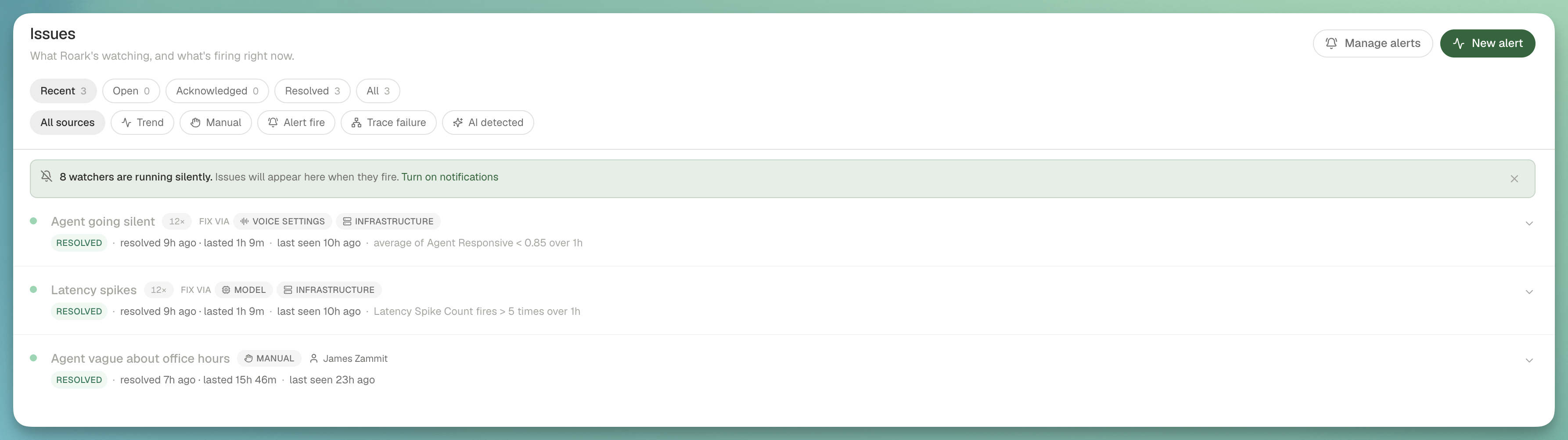
🧠 AI-Detected Issues

Recurring behavioral failures across your production calls now get grouped into Sentry-style issues automatically, no alert configuration required.

AI-detected issues page grouping recurring behavioral failures into stable issues

How it works:

  • Always-on clustering: a scheduled sweep reads the last 24 hours of failing checks and numeric system signals (frustration, sentiment, comprehension failures, conversation loops), asks a model to group them into failure modes, and opens or updates an issue per mode with stable fingerprints and per-call evidence.
  • Recent view by default: the issues page now leads with active plus recently-resolved so the trend issues that auto-resolve in an hour aren't hidden the moment you check.
  • Issues banner on call detail: when a call is cited as evidence inside an active issue, you see it right there with one click into the full picture.
  • Five new default watchers seed on every project (agent going silent, high frustration, negative sentiment trend, comprehension failures, loops), with a one-time backfill for existing projects that never got seeded.

🔧 Prompt Optimizer, End to End

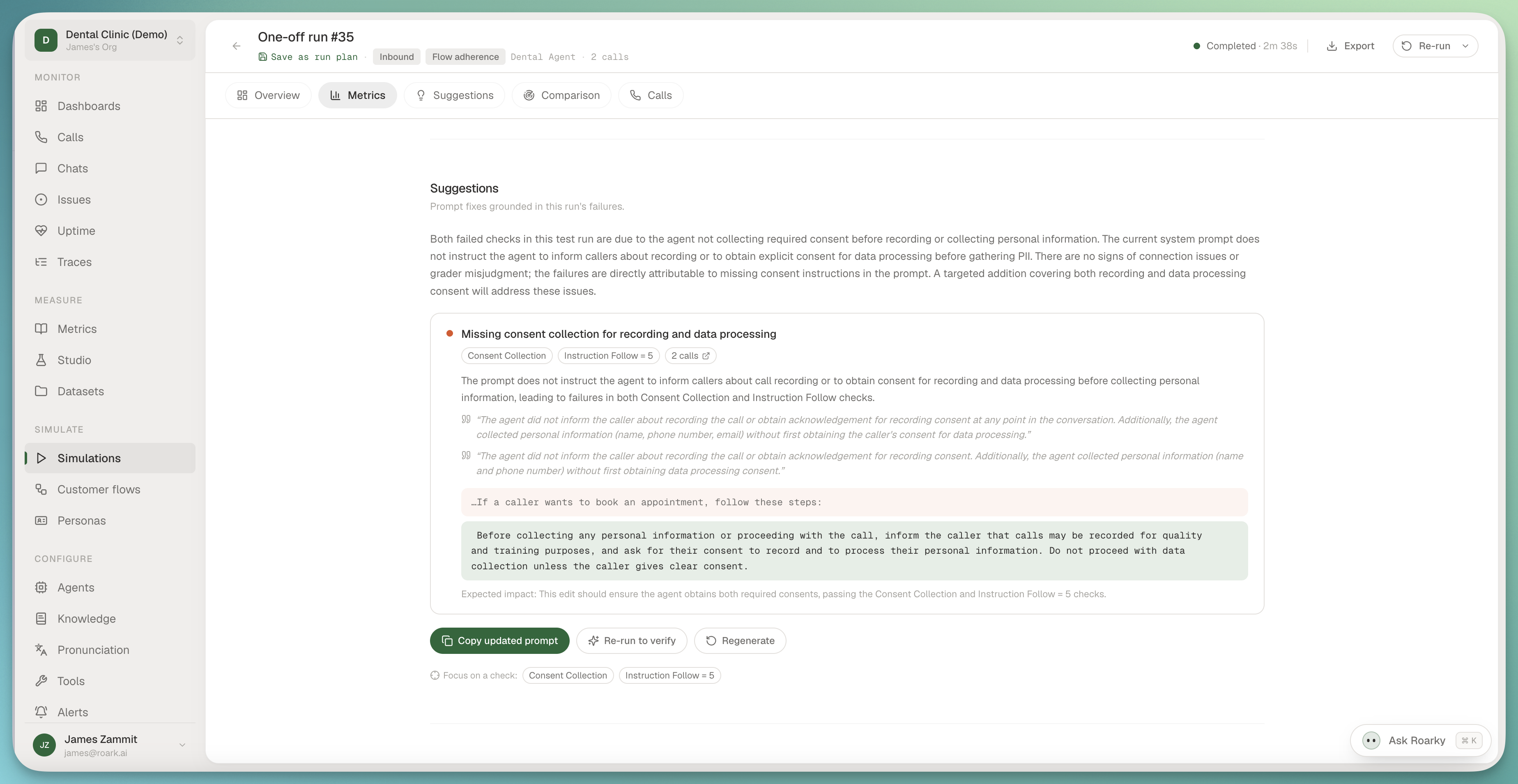
After a simulation run settles, Roark reads the failing checks, the worst calls, and the current agent prompt, then proposes targeted edits with anchors and evidence instead of hand-waving a rewrite. Fix it, re-run the suite, get proof it moved.

Prompt optimizer showing evidence-grounded suggested edits after a simulation run

What landed:

  • Evidence-grounded findings: every suggestion cites the checks and conversations it came from. Anything the model invents is dropped before it reaches your screen.
  • Verify loop: focus the analysis on a single failing check, re-run the same suite, and see the movement quantified check by check in the comparison view.
  • Prompt versioning: every prompt now carries immutable version history, each conversation records exactly which version ran it, and the optimizer notices when your prompt has drifted since the last analysis.
  • Suggestions on issues too: expanding an AI-detected issue runs the same analysis against the calls in evidence and shows the recommended prompt fix inline, so you can go from "here's the pattern" to "here's the edit" without leaving the page.

🤖 Roarky Can Build Analytics for You

Ask the in-app assistant to "track how often callers ask about pricing" and it does the whole chain: finds or creates the metric, starts a collector so it runs on every new call, and drops a chart on your dashboard.

How it behaves:

  • One confirmation, whole pipeline: metric → collector → report → optional backfill of history, with Roarky narrating what it picked.
  • Sensible defaults: auto-places new charts on your default dashboard when you don't name one.
  • Honest about empty state: a freshly-charted metric reads empty until data collects. Roarky says so and offers to backfill the history.

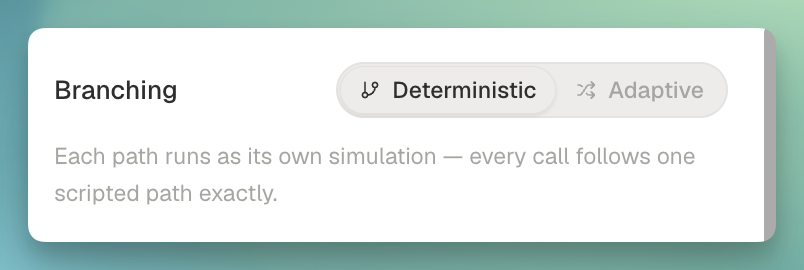
🌿 Deterministic vs Adaptive Flows

Scripted flows now have a branching mode toggle in the editor header, so one flow can either fan out into a simulation per path or collapse into a single call the agent adapts across.

Flow editor with deterministic and adaptive branching mode toggle

What's new:

  • DETERMINISTIC runs one simulation per unique path (the existing behavior).
  • ADAPTIVE collapses a flow's own paths into a single call, and links to sub-flows follow whichever path the agent-under-test takes.
  • Persona coverage stays orthogonal: five paths across three personas produces three adaptive calls, not one, so you still get real persona variation.
  • Simulation tab on call detail: every simulated call now surfaces the flow it ran (adaptive brief or scripted steps), the persona, and the agent endpoint, with deep links out to each.
Nº 30July 7 to 13, 2026

6 updates this week

This week we shipped the biggest update to Roark since we started: a ground-up rebuild of the platform, a rebuilt Simulations experience, and four new capabilities built on top of it. Everything below is live in production now.

✨ The New Roark Platform

We rebuilt the entire platform from the ground up around how you actually use it. Metrics are the center of gravity now, the AI agent is one keystroke away from any page, and the navigation, layout, and defaults all reflect a year of customer feedback.

The new Roark platform dashboard

What's different:

  • Simulations, rebuilt: a ground-up rebuild of how you test agents, now driven by Customer Flows with improv or scripted callers and ready-made templates (full details below)
  • Metric-first: every list, view, and detail page leads with the metrics that matter to you, not raw data you have to interpret yourself
  • Agent woven in: ⌘K opens an assistant that knows your project, your data, and your APIs
  • Saved views travel with you: column layouts, filters, and sorts persist per user, with inline Save and Discard when you make edits
  • Calmer, faster surfaces: switching projects no longer reloads the world, and the chrome got out of the way

This is the foundation we're building on for the rest of the year. Everything below shipped on top of it.

🎭 Simulations, Rebuilt

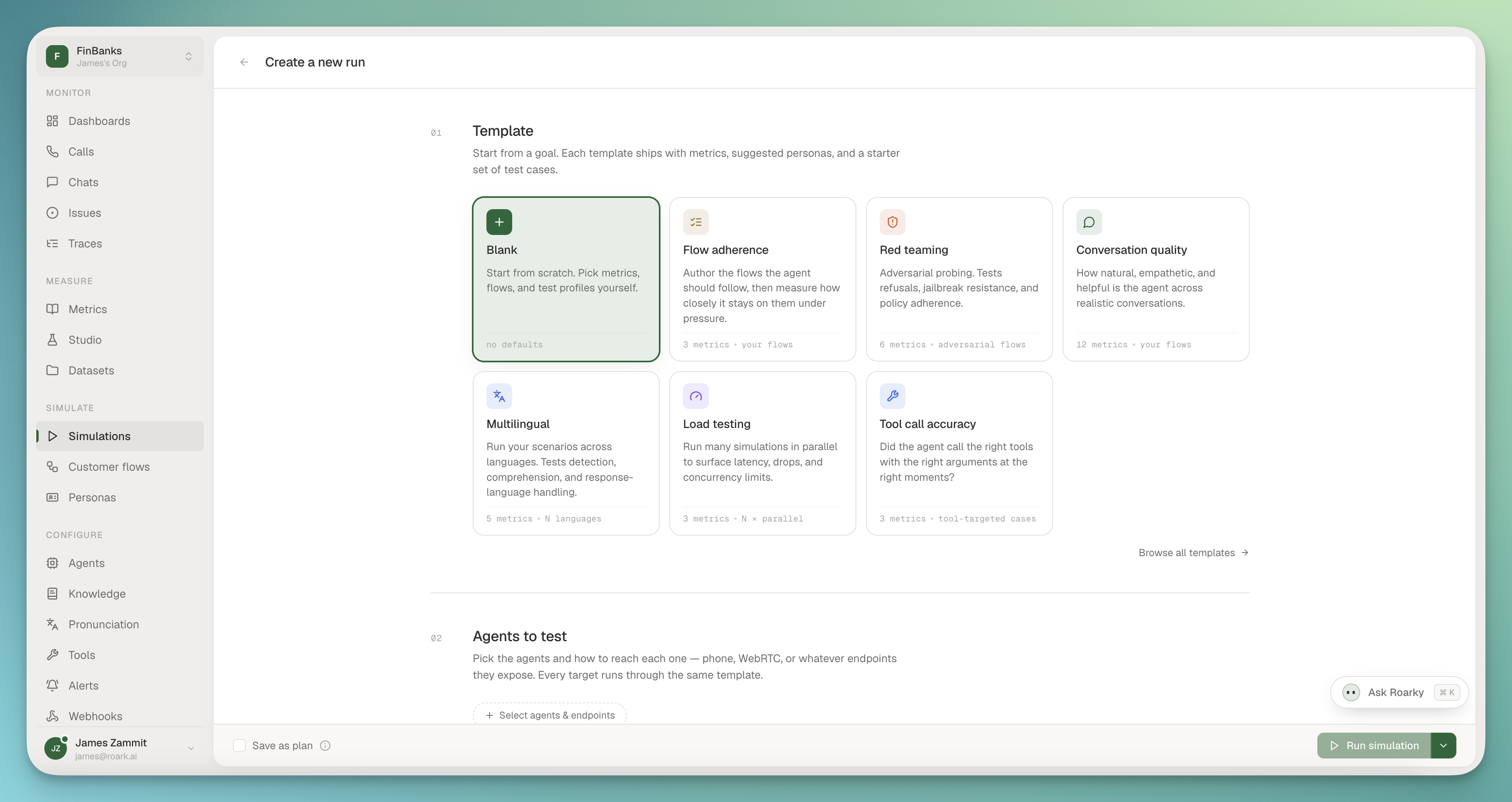
We rebuilt Simulations from the ground up for the new platform. Testing your agents against realistic callers is faster to set up, clearer to reason about, and now built around a new idea: Customer Flows.

Starting a simulation run from a template, with Flow adherence, Red teaming, and Conversation quality presets

What's new:

  • Customer Flows replace Scenarios: every simulated caller now runs on a Flow, the direct successor to Scenarios from the old app, with a cleaner model for how a call should unfold
  • Improv or Scripted: run an Improv flow where the simulated customer reacts naturally to whatever your agent says, or a Scripted flow where the call follows the exact turns you lay out. Choose per flow depending on whether you're stress-testing open-ended behavior or checking a known path
  • Templates to start fast: kick off from a library of ready-made flow templates instead of a blank page, so a useful simulation is minutes away

If you ran Scenarios in the old app, Customer Flows are where they live now, with the improv and scripted split layered on top.

🤖 In-app AI Assistant

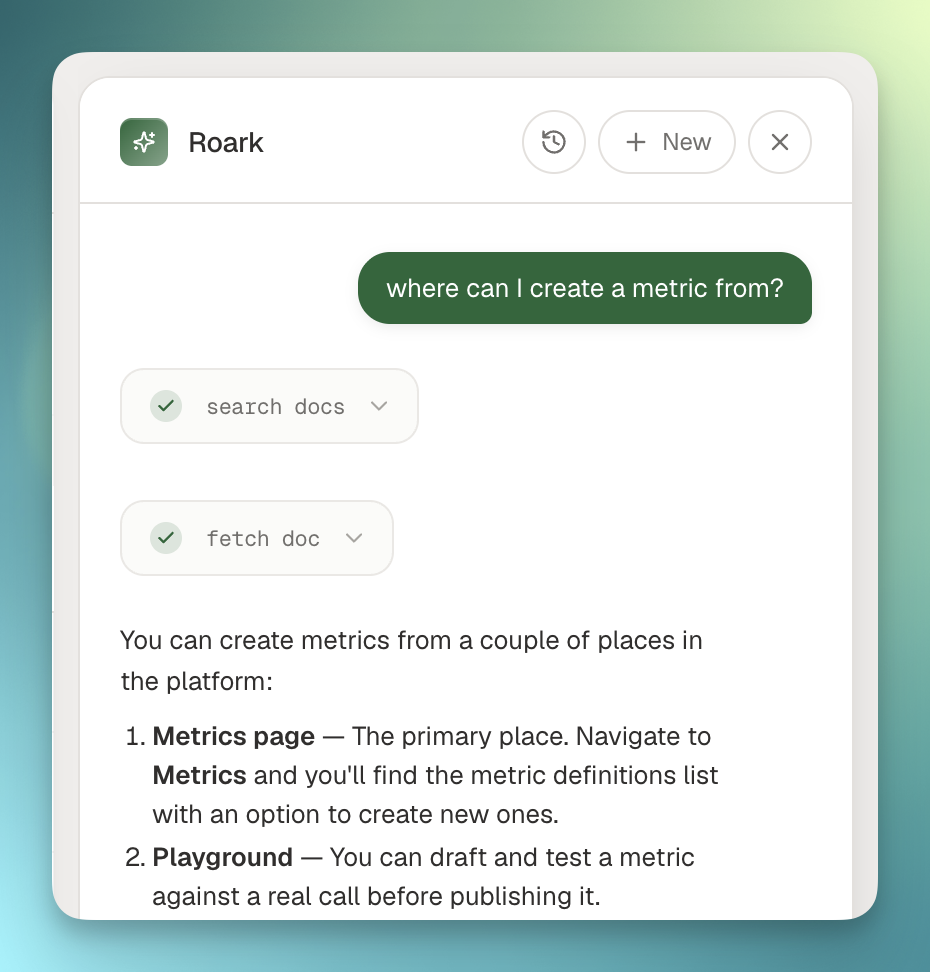
You can now ask questions directly inside the platform and get answers pulled from your own data, without leaving the page you're on.

In-app AI assistant pinned to the right rail

What you can do:

  • Ask in plain English: "show me yesterday's failed calls" or "list my datasets" works out of the box, with the assistant calling the right API behind the scenes
  • Pinned to the right rail: hit ⌘K from anywhere, drag the edge to resize, the page stays visible and clickable underneath
  • Conversation history: every chat is saved, click History to jump back into a past thread
  • Streaming responses: tool calls and answers stream live so you see progress in real time

Read-only for now (lists, lookups, filters). Write actions land next.

📚 Knowledge Bases

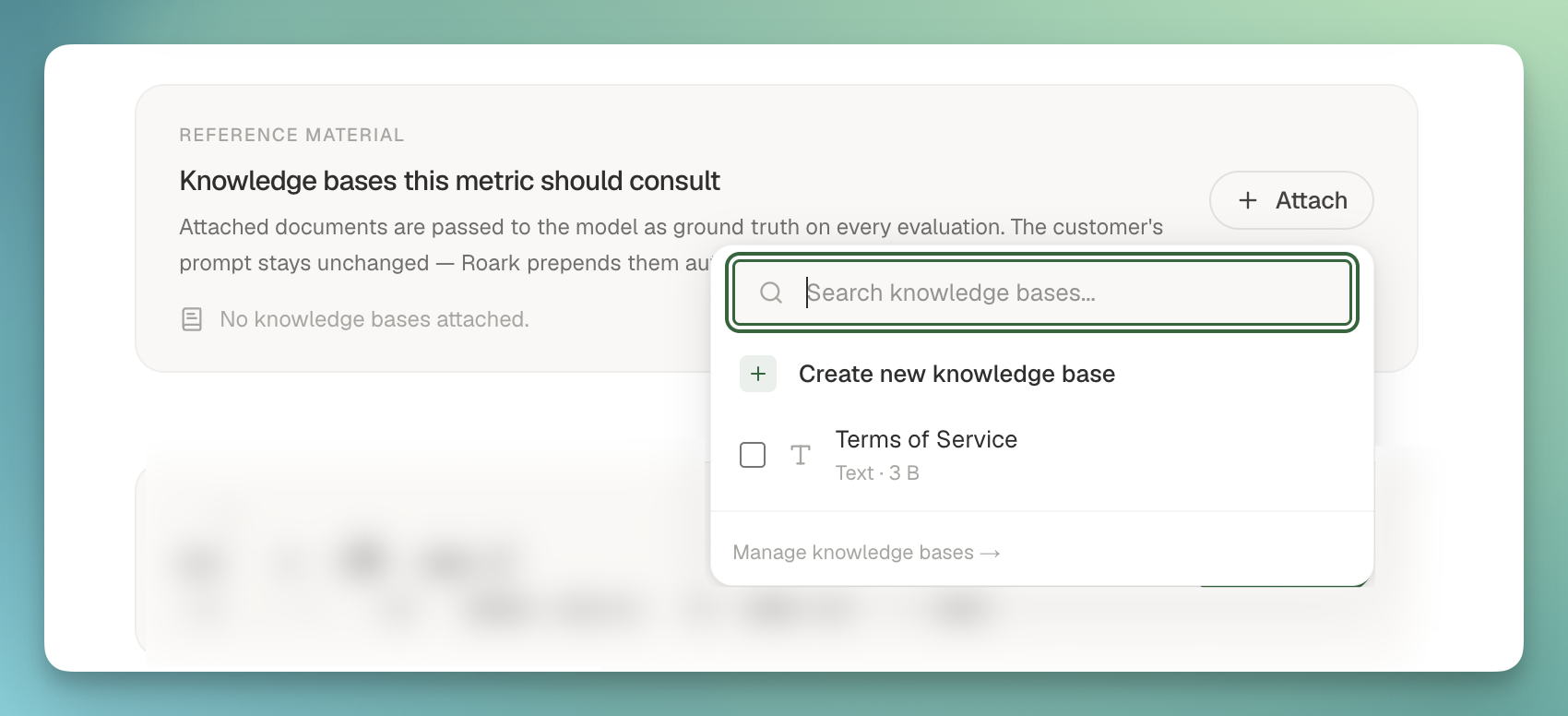
You can now upload your own reference material into Roark and attach it to the metrics that need it. Give a judge metric the actual rubric, give a compliance metric the actual policy doc, and let the metric score against your source of truth instead of a prompt approximation of it.

Knowledge base attached to a metric's Reference Material section

Three ways to bring content in:

  • File: upload a PDF, .txt, or .md, PDFs get text-extracted automatically
  • Text: paste markdown or free-form text directly
  • JSON: paste structured data (taxonomies, decision trees, labeled examples)

Find Knowledge Bases under Configure, then attach one or many to a custom metric from the new Reference Material section in Studio. At eval time we transparently prepend the attached documents to the LLM as ground truth, then your prompt runs against them, no prompt rewriting required.

🔒 Fine-grained PII Redaction

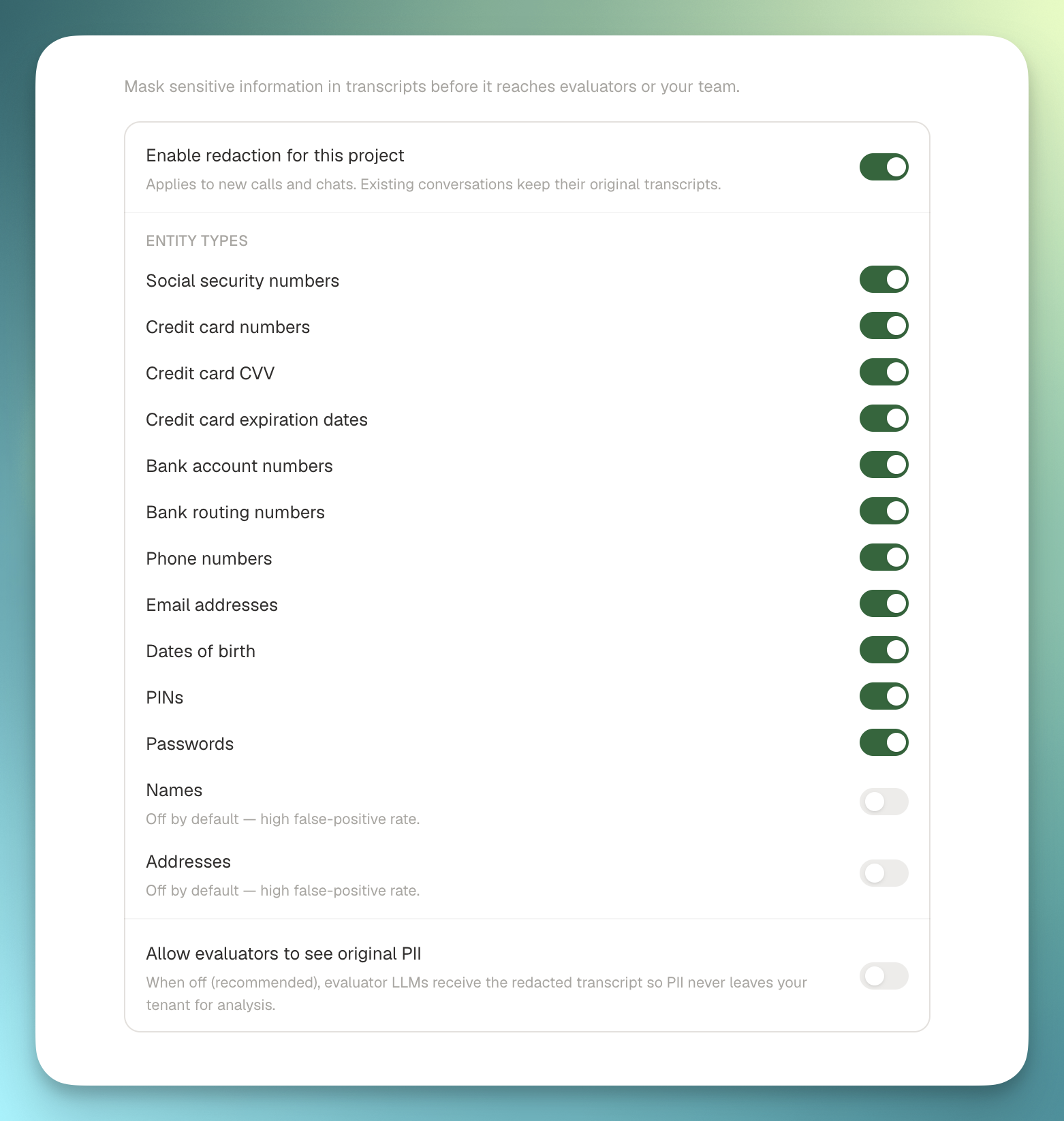
You can now choose exactly which PII categories to redact from your calls, applied to both the audio and the transcript. Pick what's sensitive in your domain, leave everything else untouched.

Fine-grained PII redaction settings with per-category toggles

What you can redact:

  • Financial: credit card numbers, bank accounts, routing numbers
  • Government IDs: social security numbers, driver's license, passport
  • Contact: phone numbers, email addresses, physical addresses
  • Identity: names, dates of birth

Audio gets bleeped in place of the redacted span, transcripts get a [REDACTED:CATEGORY] marker, and the original never leaves the redaction step once it's enabled on a project.

🚗 In-Car Detection

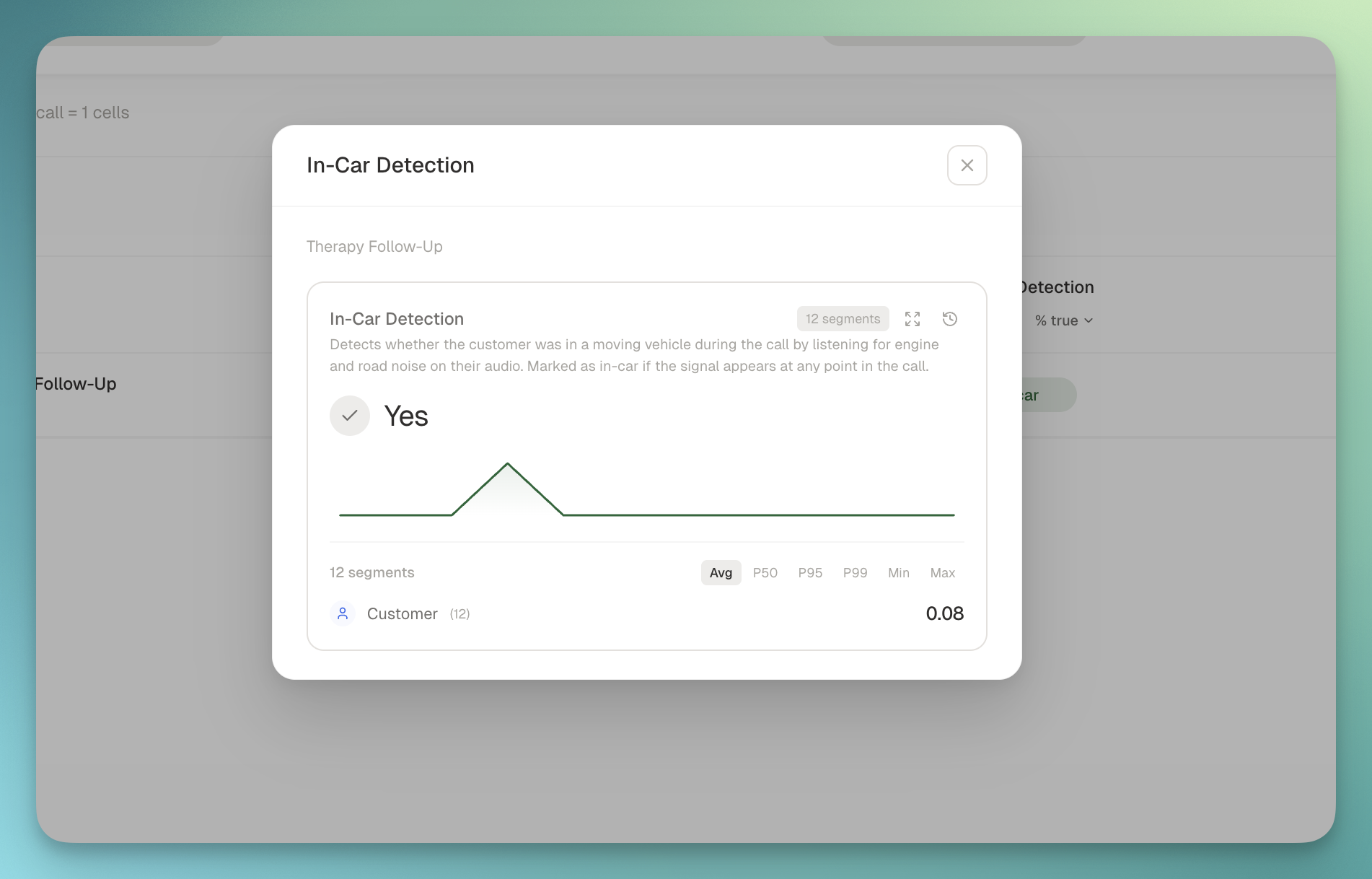
A new system metric that flags when a caller is in a vehicle, both at the segment level and rolled up to the call. Useful for quality scoring, routing decisions, or just understanding the audio conditions your agents are working through.

In-car detection metric on a call detail view

What you get:

  • Boolean + confidence per segment: see exactly when in the call the in-car signal appeared
  • Call-level rollup: answers "did this happen at any point in the call", not diluted by quiet stretches
  • Powered by a zero-shot audio classifier running on the call recording, no agent-side instrumentation required
  • Lives in the new Call Environment package so future ambient-audio signals (hold music, background noise, road noise) slot in next to it

Off by default, enable it via a metric policy on the projects where it matters.
Nº 29April 3 to 3, 2026

🧮 Formula Metrics

🧮 Formula Metrics

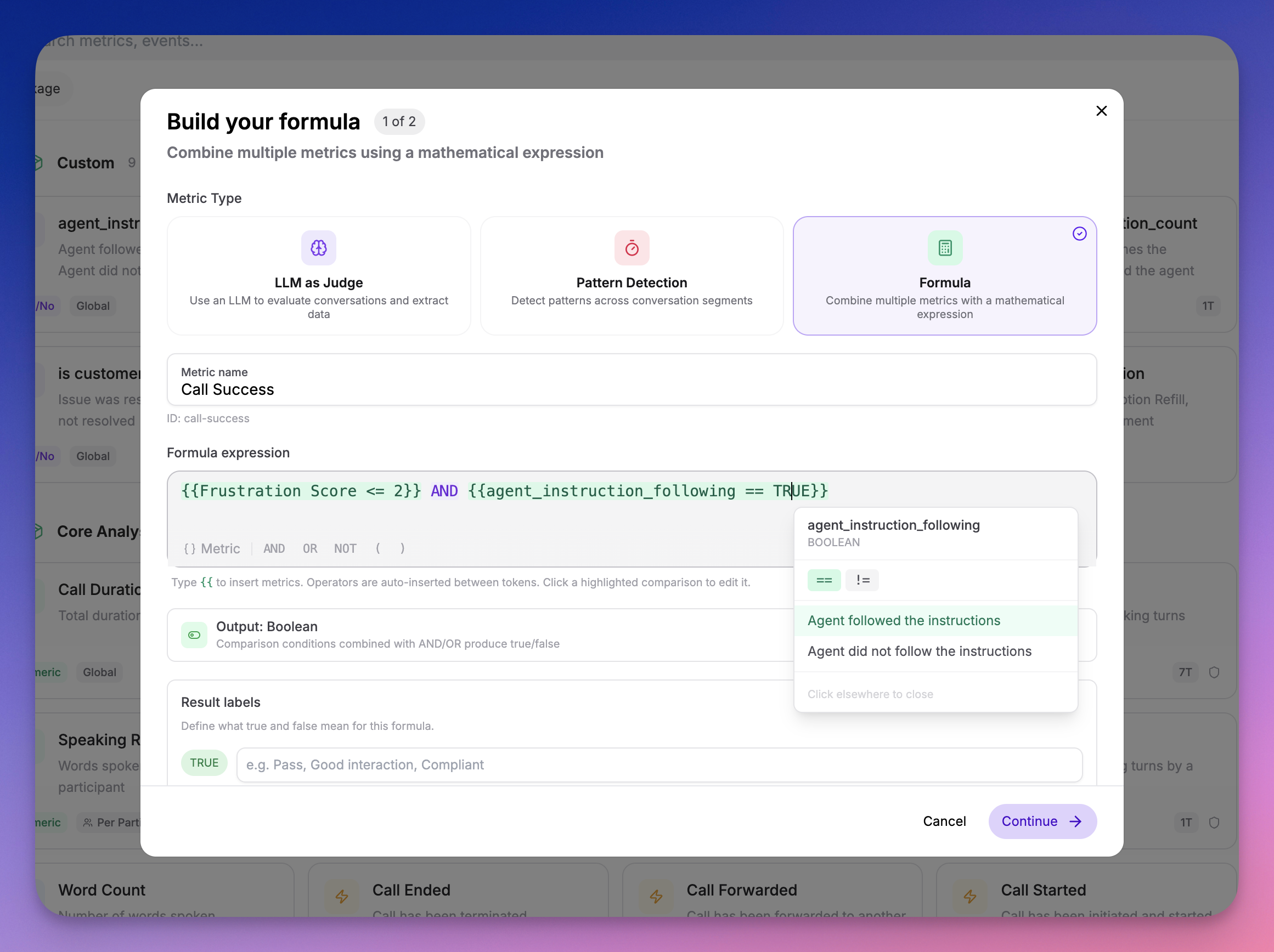
You can now create Formula metrics that combine your existing metrics into composite scores and rules — no code required.

Formula metrics builder showing inline metric templating

What you can do:

  • Weighted scores — (Empathy * 0.4) + (Clarity * 0.3) + (Resolution * 0.3)
  • Pass/fail gates — Compliance AND Greeting
  • Custom benchmarks — (CSAT + NPS) / 2
  • Comparisons — Sentiment == "Positive" AND Empathy > 3

How it works:

  1. Create a new metric in your Metric Library and select the Formula calc type
  2. Build your formula using the inline builder — start typing to search and insert metrics
  3. Formulas are evaluated automatically during call analysis

Under the hood:

  • Dependency-aware evaluation — Source metrics are always computed before formulas that reference them
  • Deletion protection — Metrics used in formulas cannot be deleted until the formula is updated
  • Cycle detection — Circular dependencies are caught at creation time
  • Type safety — Math operators only accept numeric metrics; logical operators only accept boolean and classification metrics